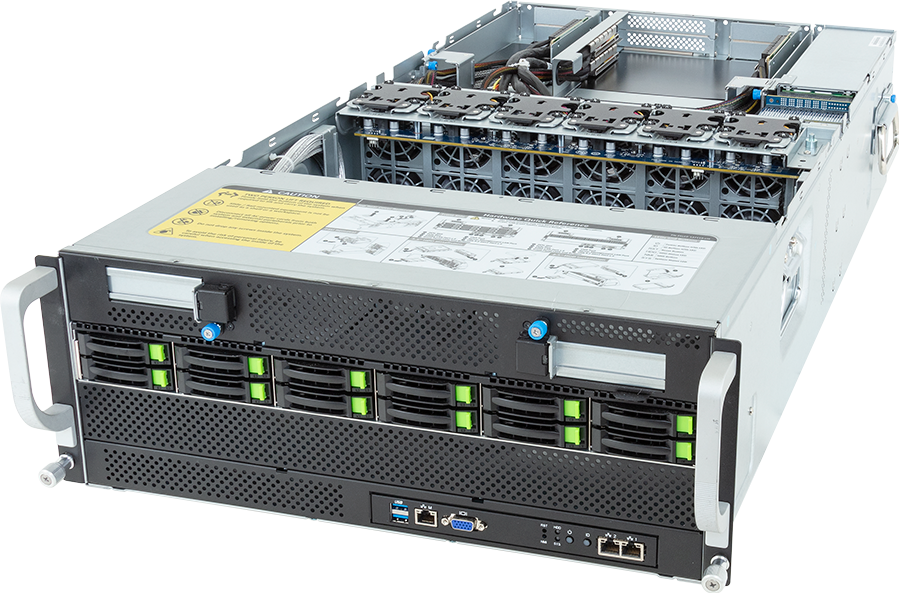
NVIDIA RTX PRO 6000 Blackwell Server Edition is the stronger default for a new enterprise PCIe GPU server. It has 96 GB of GDDR7 ECC memory, PCIe Gen 5 support and a much newer feature set for AI and visual computing. NVIDIA L40S remains useful when 48 GB per GPU is enough, the application already has Ada-generation validation, or the rack and chassis are built around a 350 W card.
The extra memory does not make RTX PRO 6000 the right answer in every quotation. Its configurable 400 W to 600 W power range changes the server, rack and cooling requirement. L40S can be the more economical option for validated rendering, video, virtual workstation and inference services that fit comfortably inside 48 GB.
This comparison concerns the data-centre cards and the systems built around them. It does not compare the RTX PRO 6000 Workstation Edition or Max-Q Workstation Edition with L40S, and it does not treat either PCIe card as a substitute for an HGX NVSwitch platform.
Quick answer
Choose RTX PRO 6000 Blackwell Server Edition for a new deployment when 96 GB per GPU improves model fit, context length, batch size or scene capacity; when Blackwell software features form part of the project; or when one platform must support AI, graphics, simulation and video work.
Choose L40S when the software stack has already been qualified on Ada, 48 GB is sufficient, 350 W per card fits the facility better, or the organisation needs compatible expansion for an existing L40S fleet.
Do not choose from a peak compute table alone. Check memory use, precision, card power, thermal qualification, PCIe topology, software support and the exact server GPU list. A card that looks faster on paper may not run in the selected chassis.
Specification comparison
| Specification | RTX PRO 6000 Blackwell Server Edition | NVIDIA L40S | |---|---:|---:| | Architecture | Blackwell | Ada Lovelace | | GPU memory | 96 GB GDDR7 with ECC | 48 GB GDDR6 with ECC | | Memory bandwidth | 1,597 GB/s | 864 GB/s | | Host interface | PCIe Gen 5 x16 | PCIe Gen 4 x16 | | Maximum board power | Configurable, up to 600 W | 350 W | | Cooling | Passive air or a separate liquid-cooled variant | Passive air | | Air-cooled form factor | Dual-slot, full-height, full-length | Dual-slot, full-height, full-length | | MIG | Up to four isolated instances | Not supported | | vGPU software | Supported subject to current release and licence | Supported subject to current release and licence | | NVLink | Do not assume support; verify the exact card and server | Not supported |
The figures come from NVIDIA product pages and reference documents. They describe the cards, not application throughput. Driver, firmware, framework and server design can change the result.
Memory is the strongest reason to move to RTX PRO 6000
The cleanest difference is capacity: 96 GB against 48 GB per card. That can determine whether a model, key-value cache, fine-tuning job, digital twin or rendering scene fits without spilling, repartitioning or using another GPU.
For inference, calculate memory from the actual model and service. Include weights at the selected precision, runtime workspace, key-value cache, concurrent sequences and framework overhead. Long prompts and high concurrency can consume much more memory than a single short benchmark request. A service that only just fits in 48 GB during a demonstration may fail once its context window and request queue grow.
For fine-tuning, add optimiser state, gradients, activations and temporary buffers. Techniques such as quantisation, parameter-efficient fine-tuning and activation checkpointing can reduce the requirement, but they change speed or model behaviour. Treat them as design choices, not a promise that every workload will fit the smaller card.
The RTX PRO card also provides substantially more memory bandwidth. That may help bandwidth-sensitive kernels, but it does not provide a universal application multiplier. Profile the target workload because software, arithmetic intensity and data movement decide how much of the published bandwidth becomes useful.
L40S still has a place. Forty-eight gigabytes is enough for many computer-vision models, render jobs, virtual workstations and quantised inference services. Replacing a working L40S design solely because 96 GB exists wastes capital if memory is not the limit.
AI inference
RTX PRO 6000 is the stronger new-build choice for large single-GPU models and services with long context or high concurrency. More memory can reduce the need to divide a model across cards, which simplifies scheduling and avoids peer traffic. Blackwell also adds newer Tensor Core capabilities and FP4 support, although software must support the chosen precision and the model must retain acceptable quality.
L40S remains a capable inference card for models that fit its 48 GB frame buffer. Its lower power can support denser or less demanding racks, and an existing L40S software image may carry less deployment risk than an immediate architecture change.
The practical test uses the production serving stack. Record time to first token, inter-token latency, request throughput, GPU memory, host CPU load and wall power across representative prompt lengths. Average throughput hides poor tail latency, while a short prompt test can favour a configuration that struggles with long-context requests.
Multi-GPU inference needs another decision. Installing eight PCIe cards does not create the all-to-all NVSwitch fabric found in HGX. If one model instance must span many GPUs and transfers dominate the token path, compare an HGX system before committing to a large PCIe node. The HGX versus PCIe GPU server guide explains that boundary.
Fine-tuning and training
Both cards can run training and fine-tuning software, but neither should be described as an HGX training platform. RTX PRO 6000 can be attractive for development, LoRA or QLoRA work, single-GPU experiments and jobs whose memory requirement benefits from 96 GB. L40S can perform similar work at a smaller scale when 48 GB and Ada support meet the requirement.
Tightly coupled training across several GPUs brings PCIe topology into the result. The cards may sit behind PCIe switches or separate CPU root complexes, and traffic can cross a CPU socket link. Ask for the block diagram. A server with eight physical slots can still have an awkward communication path for one eight-GPU job.
If the training plan routinely consumes four or eight GPUs as one unit, test it against HGX rather than assuming the cheaper card server will provide equal useful throughput. PCIe can remain the right answer when the queue contains many independent experiments, since the scheduler can allocate one or two cards to each researcher.
Rendering, visualisation and video
L40S was designed for mixed AI and graphics work. It includes RT cores, display outputs and hardware video engines, and NVIDIA positions it for rendering, Omniverse-style workloads, virtual production and inference. Many deployed applications already recognise its Ada feature set.
RTX PRO 6000 Server Edition carries that professional graphics role into Blackwell with twice the memory, newer RT and Tensor cores, DisplayPort 2.1 and newer encode/decode generations. Large scenes, high-resolution assets and AI-assisted rendering can use the larger frame buffer. The card also makes sense where one server must switch between inference, engineering simulation, video and remote workstation work.
Application certification matters more than feature names. A CAD, renderer, VDI stack or media pipeline may support one driver branch before another. Check the independent software vendor matrix and reproduce the working project before replacing an established L40S estate.
For video workloads, compare codec, chroma format, bit depth, stream count and quality settings. Counting encoders does not prove that a service will meet its target because decode, preprocessing, inference and output can stress different parts of the card and host.
Virtual workstations, MIG and tenant isolation
RTX PRO 6000 Server Edition supports up to four Multi-Instance GPU partitions according to NVIDIA's product material. MIG divides supported GPU resources into isolated instances with defined memory and compute allocation. That can help a platform operator serve smaller inference or development tenants without assigning a whole 96 GB card.
L40S does not support MIG, although NVIDIA vGPU software supports virtual GPU profiles for virtual workstation and compute use. RTX PRO 6000 also participates in NVIDIA's vGPU software stack, subject to the supported driver, hypervisor, guest operating system and licence.
MIG and vGPU solve different allocation problems. Decide whether the service needs hardware partitioning, graphics remoting, time-sliced profiles, direct passthrough or full-card isolation. Then check NVIDIA's current compatibility matrix. A generic requirement for "virtual GPUs" is not enough to select the hardware.
The proof of concept should include tenant start and stop, monitoring, failure handling and profile changes. Operators also need a plan for licences and driver lifecycle.
Power and cooling
This is where the apparent upgrade becomes a facility project.
Eight L40S cards have 2.8 kW of maximum GPU board power. Eight RTX PRO 6000 Server Edition cards configured at 600 W account for 4.8 kW. The host CPUs, DIMMs, NVMe drives, NICs, PCIe switches, fans and power-conversion losses sit on top of those figures. A server cannot be sized from GPU power alone, but the 2 kW difference between the card totals shows why the chassis must be checked.
Some RTX PRO platforms may run the cards at a lower configured power. That can reduce facility demand, though it also changes performance. Record the intended power limit in the acceptance configuration so firmware or management changes do not silently alter it.
Passive cards depend on chassis airflow. A card's dimensions and connector can appear compatible while its heatsink and pressure requirement are not. Use a server that explicitly lists the exact GPU variant. Confirm fan configuration, ambient-temperature derating, redundant PSU behaviour and supported card count.
At rack level, check usable PDU capacity after redundancy, feed voltage, connector type, cable routing and exhaust temperature. If the selected chassis supports direct liquid cooling, include CDU and facility-water requirements in the design rather than treating the card as an isolated line item.
PCIe topology, CPUs and system memory
RTX PRO 6000 supports PCIe Gen 5 x16 while L40S uses PCIe Gen 4 x16. That does not mean every RTX PRO workload needs Gen 5 bandwidth, nor does it mean a Gen 5-labelled server supplies an unshared x16 path to every slot.
Inspect the OEM topology diagram. Determine which GPUs sit behind switches, which connect directly to a CPU, where the high-speed NICs attach and whether peer traffic crosses NUMA domains. Place storage and network adapters so data reaches the relevant GPUs without unnecessary socket hops.
CPU selection should follow the host workload. Tokenisation, simulation setup, video decode, data augmentation and storage processing can all consume host cores. System memory must also feed every CPU channel properly; one large DIMM total populated asymmetrically can leave bandwidth unused.
For a four- or eight-GPU node, buy enough RAM for the application, caching and orchestration rather than applying a fixed ratio blindly. Measure host memory use during the proof of concept.
Storage and networking
Model files, checkpoints, scene data and user profiles must reach the GPUs. A fast card waiting for a shared filesystem produces an expensive idle server.
Local NVMe can hold frequently used models, caches and temporary datasets. Shared storage supports collaboration, central checkpoints and recovery, but its metadata and throughput profile must match the workload. Test cold model load as well as steady-state inference.
Network demand differs by role. A single inference server may need ordinary service and storage links, while a multi-node training or render estate can require high-speed Ethernet or InfiniBand. Include management traffic separately and check the NIC-to-GPU path for RDMA or GPU Direct Storage plans.
GPUMachines maintains scale-out storage guidance, Ethernet cluster designs and InfiniBand cluster designs for projects that extend beyond one server.
Cost and lifecycle
RTX PRO 6000 should earn its higher platform cost through memory fit, workload consolidation or a feature that the project will use. Buying it for an application that occupies 20 GB, runs at low utilisation and gains nothing from Blackwell is hard to defend. L40S may provide the required result with less power and a mature software image.
The reverse mistake is buying L40S because the card price is lower, then discovering that a 48 GB limit forces model partitioning, lower concurrency or an earlier replacement. Include engineering time and service constraints in the comparison.
For an existing L40S fleet, standardisation has value. Common drivers, spares, profiles and operating procedures can outweigh a new card's specification advantage. A planned transition may still make sense, but test mixed-generation scheduling and decide whether jobs can move between nodes without separate software images.
Static retail prices date quickly. Request a complete server quotation with the exact GPU count, CPUs, RAM, NVMe, NICs, warranties and power configuration. Compare the delivered, supported system rather than an isolated card listing.
Recommended GPUMachines paths
New high-memory PCIe AI or mixed-workload server
Start with RTX PRO 6000 Server Edition. The ASRock Rack 4U10G-GNR2/RF+ configurator supports up to ten double-width PCIe Gen 5 cards and exposes CPU, memory, storage and network choices. The final card count and power setting must pass an OEM compatibility review.
Validated eight-GPU L40S platform
The GIGABYTE G493-ZB4-AAP1 configurator represents an NVIDIA OVX-style server qualified around eight L40S GPUs. It is the clearer route for an Ada-based visual AI or inference design that needs a known platform.
Smaller or uncertain requirement
Browse the PCIe GPU server catalogue rather than filling an eight-GPU chassis by default. A two- or four-card server may produce better utilisation and leave more budget for storage, networking or a second failure domain.
Short trials can also use GPU Cloud before hardware is purchased. Use the trial to capture memory, latency, throughput and power assumptions for the final system.
Proof-of-concept plan
Test the same application build on both cards where possible. Keep model version, precision, batch, context, input data and quality settings fixed. Record:
- peak and steady GPU memory;
- throughput and latency percentiles;
- cold start and model load time;
- GPU, CPU and storage utilisation;
- wall power at idle and under representative load;
- driver, CUDA, framework and application versions;
- any errors, fallbacks or quality changes caused by precision.
Run long enough to expose thermal behaviour and memory growth. Then repeat a recovery event, such as restarting the service or draining a GPU, if the system will run production workloads.
Do not convert a vendor result into a purchasing assumption unless the tested software and configuration match it.
Common mistakes
Comparing the wrong RTX PRO variant
NVIDIA sells Server Edition, Workstation Edition and Max-Q Workstation Edition cards with different cooling, form factor and power characteristics. Use the exact Server Edition part for a passive rack server quotation.
Calling L40S a dedicated training GPU
L40S can train and fine-tune models, but NVIDIA positions it as a mixed AI and graphics data-centre GPU. Heavy multi-GPU training may be better served by HGX.
Assuming twice the memory means twice the speed
Capacity may let a workload fit or increase concurrency; it does not provide a fixed speed multiplier. Measure the application.
Ignoring configured power
An RTX PRO 6000 card can operate across a power range. Performance, server support and rack demand depend on the selected limit.
Reusing an L40S server without checking the QVL
A dual-slot shape does not prove that a 600 W Blackwell card will work in a chassis designed for 350 W Ada cards. Firmware, power delivery and cooling must be qualified.
FAQ
Is RTX PRO 6000 Blackwell Server Edition faster than L40S?
It is the newer and more capable card on paper, with twice the memory and much higher memory bandwidth. Application speed still depends on precision, software, model size, host platform and power setting. Test the workload before assigning a speed claim.
Which card is better for LLM inference?
RTX PRO 6000 is usually the better new-build choice because 96 GB can hold larger models or more cache on one GPU. L40S remains sensible for quantised models and services that fit within 48 GB, particularly in existing Ada deployments.
Which card is better for rendering and virtual workstations?
Both target professional visual workloads. RTX PRO 6000 brings more memory and newer graphics and media hardware, while L40S has a mature installed base and lower board power. Software certification and project size decide the safer choice.
Can I replace L40S with RTX PRO 6000 in the same server?
Only when the OEM lists the exact RTX PRO card for that server and configuration. The higher power, airflow, firmware and connector requirements can prevent a direct swap.
Does either card replace HGX for large-model training?
No. PCIe cards can train models, but an HGX baseboard provides an NVLink and NVSwitch scale-up fabric intended for communication-heavy multi-GPU work. Compare both architectures when one job spans several GPUs.
How many RTX PRO 6000 cards should I buy?
Start with the number of independent workers or the measured GPU count per job. Check that the server can power and cool that count at the selected limit. Buying empty slots can be sensible; populating them without a workload is not.
Technical sources
- NVIDIA RTX PRO 6000 Blackwell Server Edition
- NVIDIA RTX PRO 6000 Blackwell family specifications
- NVIDIA RTX PRO AI Factory reference architecture
- NVIDIA L40S product specifications
- NVIDIA-Certified Systems documentation
Specifications, software support and compatibility can change. Confirm the current NVIDIA documents, OEM GPU list and driver matrix for the exact server before purchase. Vendor performance statements should be reproduced with the intended application and power configuration.