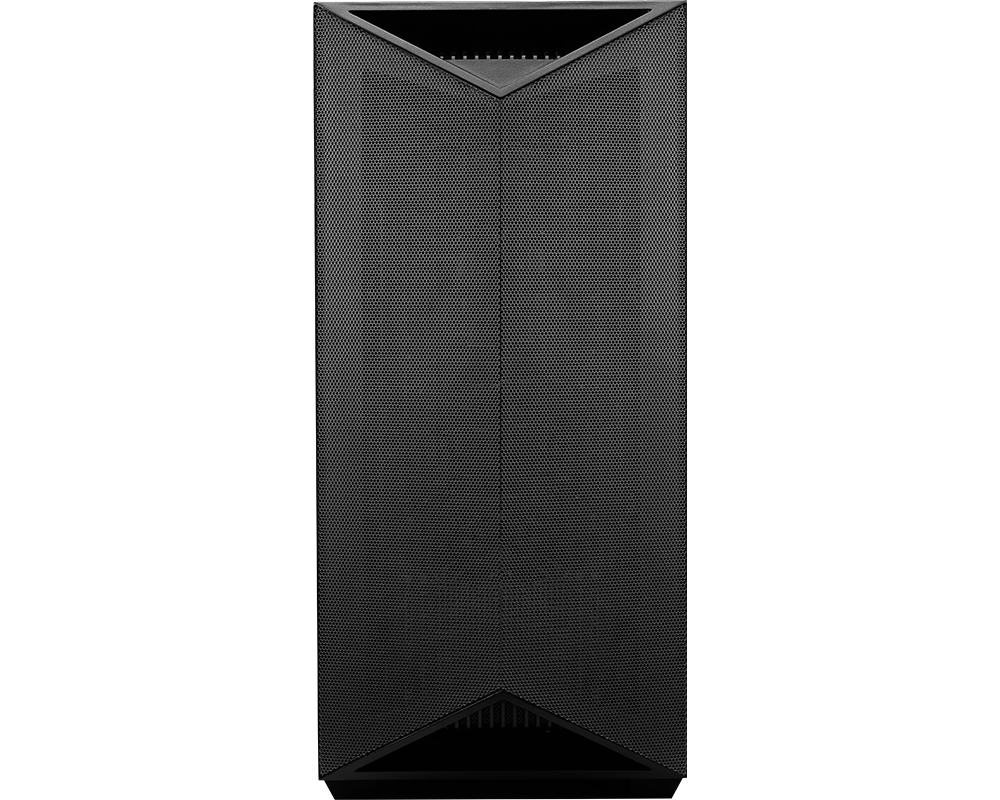
The MSI XpertStation WS300 GB300 asks a different question from an ordinary GPU workstation: what changes when CPU and GPU memory are designed as one coherent pool rather than two islands joined by PCIe? Its NVIDIA GB300 Grace Blackwell Ultra Desktop Superchip combines a 72-core Arm CPU, a Blackwell Ultra GPU and 748GB of coherent memory in a tower system.
That architecture can make models and datasets practical that would not fit comfortably in a conventional workstation GPU's VRAM. It does not make every workload faster, and it introduces its own buying checks. The system runs an Arm-based Linux environment, expects datacentre-class power and cooling discipline at the desk or lab, and remains a single-GPU development station rather than a replacement for a multi-node HGX training cluster.
Configure the MSI XpertStation WS300 GB300 for local large-model AI with GPUMachines.
Executive Summary
The MSI XpertStation WS300 GB300 implements NVIDIA's DGX Station architecture in a tower. MSI specifies an NVIDIA GB300 Grace Blackwell Ultra Desktop Superchip with a 72-core Arm Neoverse V2 Grace CPU, a Blackwell Ultra GPU and 748GB of coherent memory: 496GB of LPDDR5X associated with the CPU and 252GB of HBM3e associated with the GPU.
The system is intended for AI researchers, model developers and enterprise teams that need large local memory capacity, direct access to NVIDIA's AI software stack and a workstation-like deployment model. Two pre-installed 2TB M.2 Gen5 devices in RAID 1 hold the operating system, while two open M.2 Gen6 x4 positions attach through ConnectX-8. Dual 400Gb QSFP112 ports support connection to other systems or high-speed infrastructure, alongside 10GBase-T and dedicated management.
Its strongest reason to buy is model fit and development convenience. A coherent 748GB address space can reduce the awkwardness of moving data between separate CPU and GPU memory domains. NVIDIA states that DGX Station with GB300 can work with models up to one trillion parameters under supported conditions; that is a vendor capability statement, not a promise that every trillion-parameter model will run interactively, unquantised or at a useful speed.
The XpertStation is overkill for ordinary data science, small-model inference or workloads already served well by one professional PCIe GPU. It is not suitable for teams whose required software is x86-only, Windows-only or dependent on unsupported PCIe devices.
Key Specifications
| Area | Verified platform detail | Buying implication | |---|---|---| | Form factor | Tower workstation, 247.8 x 527.9 x 582.7 mm | Large and heavy desk-side system; allow ventilation and service space | | Compute module | NVIDIA GB300 Grace Blackwell Ultra Desktop Superchip | Integrated CPU-GPU architecture rather than a conventional socketed x86 plus add-in GPU design | | CPU | 72-core Arm Neoverse V2 NVIDIA Grace CPU | Software, containers and dependencies must support Linux on Arm64 | | GPU | NVIDIA Blackwell Ultra GPU | Designed for current NVIDIA AI frameworks and large-memory development | | Coherent memory | 748GB total: 496GB LPDDR5X CPU memory plus 252GB HBM3e GPU memory | Large shared address space can improve model fit and programming simplicity | | Boot storage | Two pre-installed 2TB M.2 PCIe 5.0 NVMe devices in RAID 1 | Resilient OS volume, subject to the supplied management and recovery method | | Expansion storage | Two open M.2 PCIe 6.0 x4 positions attached through ConnectX-8 | High-speed local project or model storage; media compatibility must be verified | | PCIe expansion | One PCIe 5.0 x16 double-width slot plus two PCIe 5.0 x8 single-width slots | Limited but useful specialist expansion; device drivers must support Arm64 | | High-speed networking | Two 400Gb QSFP112 ports through ConnectX-8 | Can join fast storage or multi-system fabrics when switches, optics and software are designed accordingly | | Other networking | 10GBase-T Marvell AQC113 and dedicated management | Practical enterprise and management connectivity without using 400Gb fabric for every task | | Software | Ubuntu 24.04 LTS and NVIDIA AI developer tools | Linux-first environment; application compatibility should be audited before purchase | | Power | 1600W Platinum PSU; output limited to 1300W at 100-114V and full 1600W at 115-240V | Confirm circuit voltage, connector, continuous load and room cooling | | Cooling | Liquid cooling module for up to 1400W combined CPU and GPU thermal load | Desk-side placement still requires disciplined airflow and ambient control | | Operating environment | MSI states 10C to 30C | Not intended for an uncontrolled warm office or enclosed furniture | | Best-fit workloads | Large-model development, local inference, fine-tuning research, data science and AI prototyping | Strongest when coherent memory solves a real model-fit constraint |
Specifications are based on MSI's product page and NVIDIA's DGX Station documentation. Effective model capacity, performance and software compatibility depend on precision, framework, sequence length, context, batching and implementation.
Platform Highlights
- 748GB of coherent memory. The CPU and GPU can work within a unified address space rather than treating 252GB of HBM3e as the only useful model-memory ceiling. This is the station's central architectural advantage.
- Arm-based Grace CPU. Seventy-two Neoverse V2 cores provide substantial host compute, but buyers must validate binaries, drivers and internal tooling for Arm64. Familiar Linux software is not always architecture-neutral.
- Blackwell Ultra in a tower. Researchers gain access to a current NVIDIA AI platform without installing a rack server. The system remains a high-power professional machine, not a quiet consumer desktop.
- Dual 400Gb ConnectX-8. The workstation can attach to high-speed storage or other infrastructure. Those ports become useful only with a complete protocol, switch, optic and software plan.
- Separate resilient boot and Gen6 expansion storage. Mirrored pre-installed boot devices protect the operating environment, while open high-speed slots can hold active models or project data.
- NVIDIA AI software environment. Ubuntu 24.04 LTS and NVIDIA tools reduce initial platform assembly. Teams still need version control, security patching and reproducible environments.
Our Technical View
The WS300 GB300 should not be compared with an ordinary RTX workstation by looking only at peak compute. Its genuine differentiator is coherent memory. A conventional workstation may have hundreds of gigabytes of system RAM and a powerful GPU, yet the model still has to fit in GPU VRAM or use explicit offload across PCIe. The GB300 station changes that programming and capacity boundary.
This makes it attractive for researchers evaluating large open-weight models, experimenting with long context, working on model compression or running inference that would otherwise require several PCIe GPUs. It can also provide a private development environment for sensitive code and data. The best buyer has a specific memory-fit problem and software that supports the platform.
The system is not automatically a training cluster in tower form. One integrated GPU cannot reproduce the aggregate compute, HBM bandwidth or NVSwitch fabric of an eight-GPU HGX server, and 748GB of coherent capacity does not mean every byte is equally fast. HBM3e and LPDDR5X have different characteristics. Framework placement, kernel support and access pattern still matter.
GPUMachines would therefore position the XpertStation between conventional high-end workstations and rack-scale AI systems. It is a powerful development and inference instrument for large models, with a distinctive memory architecture. Teams needing sustained multi-node training, high availability or many independent users should still evaluate shared server or cloud infrastructure.
Best-Fit Workloads
Large-model local inference
Models that exceed the VRAM of a conventional professional GPU may fit within the coherent memory system, depending on precision, quantisation, context and runtime. This can let a research team inspect behaviour locally instead of immediately partitioning the model across several servers. Throughput and latency remain workload-dependent; capacity is not performance.
Model optimisation and compression
Quantisation, pruning, distillation and conversion work often needs access to large source weights plus calibration data. The coherent memory pool can make these workflows easier to stage. Researchers can use the station to prepare models for smaller inference targets while retaining a private local environment.
Fine-tuning and adaptation research
Parameter-efficient fine-tuning, adapter development and other memory-conscious methods can benefit from the platform. Full training of the largest models is a different proposition and may require a cluster. Dataset size, optimiser state and checkpoint frequency should be assessed before describing a workload as workstation-scale.
AI agent and multimodal development
Developers can combine a language model, embedding model, reranker, vision or speech components in one local system. Large coherent memory can reduce the need to unload one component whenever another runs. The workstation is especially useful when data cannot leave the organisation during development.
Scientific and engineering prototyping
Teams porting GPU-accelerated research codes to Grace Blackwell can use the station for development and validation before moving to larger infrastructure. Arm64 compatibility, compiler toolchains and numerical-library support should be checked early.
High-speed storage and cluster development
Dual 400Gb ports allow the station to participate in a serious lab fabric or access high-performance storage. It can act as a development endpoint for workflows destined for a cluster. This is not a reason to build a 400Gb network for one isolated workstation; the infrastructure must already have or justify the corresponding capability.
Who Should Consider It
- AI researchers whose models exceed ordinary workstation GPU memory.
- Enterprises developing with sensitive data that must remain local.
- Model-optimisation teams working on quantisation, distillation or adaptation.
- Software groups targeting NVIDIA Grace Blackwell deployments.
- Laboratories that need a large-memory personal AI system with fast fabric access.
- Organisations that can support Linux on Arm64 and a high-power tower environment.
Who Should Not Buy It
Do not choose the WS300 GB300 because it is the most imposing workstation available. If models and datasets fit comfortably on a single RTX PRO 6000-class GPU, a conventional x86 workstation may cost less, support a broader desktop software range and be easier to integrate.
It is a poor fit for Windows-dependent workflows unless the required application has a supported deployment path. MSI specifies Ubuntu 24.04 LTS, and the Grace CPU is Arm-based. Proprietary x86-only tools, browser plugins, kernel modules and PCIe-device drivers may not work. Compatibility should be proven, not assumed from a Linux package name.
The system should not replace an HGX cluster for sustained large-model training. One GPU, even with very large coherent memory, does not provide the parallel compute and scale-up interconnect of eight Blackwell or Hopper accelerators. Researchers who need rapid iteration on full training runs may use the station for development and the cluster for production training.
It is also unsuitable for an ordinary open-plan desk without checking acoustics, power and heat. A 1600W PSU and liquid-cooled high-power module can place a meaningful load on the room and circuit. The 30C operating ceiling should be considered during summer and under sustained use.
Architecture Notes
Coherent memory is not uniform memory
The 748GB total combines 252GB of HBM3e associated with the Blackwell Ultra GPU and 496GB of LPDDR5X associated with the Grace CPU. Coherent addressing can let software work across the pool without manual copies in the conventional sense, but the physical memory technologies retain different bandwidth and latency. Good software will keep the hottest tensors and operations close to HBM where possible.
This is why a model fitting in 748GB does not settle the performance question. Runtime support, placement policy, quantisation and access pattern determine whether the workload is practical. Ask for application evidence or run an acceptance workload when the business case depends on a specific model.
Arm64 software compatibility
Ubuntu and NVIDIA's AI stack provide a strong base, and many modern open-source frameworks publish Arm64 containers or packages. Internal tools may be less ready. Audit compiled Python wheels, proprietary libraries, security agents, monitoring collectors, backup clients, licence managers and PCIe-device drivers.
Containers do not emulate a different CPU architecture by default. An x86 container image will not become native Arm64 merely because Docker or another runtime is installed. Build or obtain multi-architecture images and include them in continuous integration before the station arrives.
Local storage
Two supplied 2TB M.2 Gen5 devices in RAID 1 provide a sensible protected operating-system volume. The two open Gen6 x4 positions can hold active models, datasets and project environments, subject to validated media. Capacity and endurance should reflect large model files and repeated checkpoint writes.
Even a personal station needs backup. RAID 1 protects against one class of device failure; it does not protect against deletion, corruption, theft or a failed experiment overwriting data. Keep repositories, unique datasets and results on an independent protected system.
Network design
Dual 400Gb QSFP112 ConnectX-8 ports can attach the station to high-speed Ethernet or supported fabric infrastructure. Confirm protocol, switch support, optics, cables, firmware and storage path. A 400Gb link does not make a slow NAS fast, and many office networks cannot physically or operationally accommodate it.
The 10GBase-T port provides a more practical path for ordinary enterprise traffic. Dedicated management can remain on a restricted administrative network so the workstation can be recovered even when its main operating system is unavailable.
PCIe expansion
The x16 double-width and two x8 single-width positions allow specialist adapters, but every device needs an Arm64 driver and must fit the power and airflow envelope. A free slot is not a compatibility guarantee. Check MSI and the card vendor before specifying capture, storage, FPGA or network hardware.
Power, cooling and placement
MSI rates the PSU at 1600W with full output in the supported 115-240V range and a 1300W limit at 100-114V. Confirm the local circuit, plug, cable and continuous-load policy. The liquid cooling module is designed for a high combined CPU and GPU thermal load, so the room must remove the rejected heat.
Leave intake and exhaust clearance, avoid enclosed furniture and plan how the heavy tower will be moved and serviced. If several stations will share a laboratory, calculate the combined electrical and cooling load rather than treating each as an ordinary PC.
Configuration Guidance
Begin with the model-fit calculation
Estimate parameter storage at the intended precision, KV cache for target context and concurrency, runtime overhead and any additional models. Treat NVIDIA's cited one-trillion-parameter capability as an upper platform statement, not a universal sizing shortcut. The useful question is whether the target workflow fits with enough headroom to run well.
Audit Arm64 before ordering
Build a list of required frameworks, containers, Python packages, drivers, monitoring tools and security software. Mark each as native Arm64, multi-architecture, source-buildable or unsupported. Resolve blockers while an alternative architecture is still available.
Separate OS and project storage
Keep the supplied mirrored boot volume focused on the OS and core tools. Use validated expansion NVMe for model and project data. Maintain an external backup and define how large models are versioned and restored.
Use the right network for each task
Use 10GbE for ordinary access where appropriate, dedicated management for BMC operations and 400Gb links only where storage or cluster traffic justifies them. Include the switch, optics and cabling in the design. Avoid an expensive high-speed port connected to an oversubscribed backend.
Plan the desk or lab as a facility
Verify voltage, circuit capacity, plug type, ambient temperature, ventilation, noise tolerance and physical dimensions. For multiple units, consider a rack or dedicated equipment area even though the product is a tower.
Recommended Configuration Paths
Large-model research workstation
Use the standard GB300 coherent-memory platform, populate the open Gen6 storage slots with validated high-endurance NVMe sized for active models, and connect to protected 10Gb or faster shared storage. Build native Arm64 development containers before migration. Use 400Gb only if the lab fabric can exploit it.
Private enterprise AI development
Integrate dedicated management, enterprise authentication, security monitoring with Arm64 support and encrypted project storage. Keep sensitive data local while backing up to an approved protected target. Define a path from workstation experiments to hosted or on-premise production inference.
Cluster development endpoint
Connect the dual 400Gb ports to a validated high-speed fabric, mirror the software environment used on larger Grace Blackwell systems and use the station for debugging and profiling. Keep production-scale acceptance on the target cluster; the workstation is a development proxy, not an identical performance environment.
Cost-controlled alternative path
If the target model fits within a conventional GPU's VRAM, compare an x86 workstation with RTX PRO 6000 Blackwell. It may provide enough memory, broader peripheral support and a lower infrastructure burden. Move to the WS300 GB300 only when coherent capacity or Grace Blackwell compatibility changes what the team can accomplish.
Alternatives and Related Systems
The GPUMachines article on RTX PRO 6000 PCIe machines versus HGX-class servers helps place the WS300 between an ordinary professional workstation and rack-scale training infrastructure. The HGX versus PCIe GPU server guide is useful when a project is moving from local development to multi-GPU production.
A conventional tower workstation is the best alternative for x86 or Windows compatibility and models that fit in ordinary GPU memory. A four-GPU PCIe server suits shared team inference and independent jobs. An HGX server or cluster is more appropriate for communication-heavy training. GPUMachines Buy & Host can be considered when a rack system is required but local facilities are not, subject to availability.
Buying Through GPUMachines
GPUMachines can review whether the XpertStation's coherent-memory architecture solves the actual workload. The review can cover model size and precision, Arm64 software, NVMe capacity and endurance, 10Gb or 400Gb networking, switches and optics, desk or lab power, cooling, management and the route to larger hosted or on-premise infrastructure.
This is particularly important because the WS300 GB300 is not a conventional configurable x86 workstation. Component substitutions, PCIe cards and software agents must be checked against MSI and NVIDIA support. Claims about model capacity and performance should be tied to the target runtime and acceptance test.
Frequently Asked Questions
What does 748GB of coherent memory mean?
The Grace CPU and Blackwell Ultra GPU can work across a shared address space comprising 496GB of LPDDR5X and 252GB of HBM3e. The memory is coherent but not physically uniform; HBM and LPDDR have different performance characteristics.
Can the MSI XpertStation WS300 GB300 run a one-trillion-parameter model?
NVIDIA states that DGX Station with GB300 can support models up to one trillion parameters. Practical use depends on precision, quantisation, context, runtime overhead and software. Treat the statement as a platform boundary and validate the specific model.
Is it faster than an HGX server?
That is not a useful general comparison. The workstation offers one GB300 superchip and very large coherent memory. HGX systems provide multiple GPUs and a high-bandwidth scale-up fabric for larger training and inference jobs. The workload decides.
Will ordinary x86 Linux software run on it?
Only if an Arm64 build or compatible source path exists. The Grace CPU uses the Arm architecture. Audit containers, libraries, agents and drivers before purchase.
Does it run Windows?
MSI specifies Ubuntu 24.04 LTS. Buyers with Windows-dependent applications should not assume compatibility and should choose a validated alternative if the workflow cannot move to Linux on Arm64.
Do I need a 400Gb switch?
Not for standalone work. The 10GBase-T port may handle ordinary access. Use the ConnectX-8 ports when a compatible high-speed storage or cluster fabric has a justified workload and complete BOM.
Is RAID 1 enough to protect project data?
No. RAID 1 improves availability after a drive failure but does not replace backup, versioning or off-system recovery. Keep unique data and results on an independent protected target.
Can GPUMachines host the system?
GPUMachines can review hosted and on-premise options, but the tower form factor, service availability and final configuration need confirmation. A rack server may be more operationally suitable for a shared hosted service.
Verdict
The MSI XpertStation WS300 GB300 is for buyers who have reached a genuine memory or architecture boundary with conventional GPU workstations. Its 748GB coherent Grace Blackwell memory system can make large-model development, optimisation and private inference workflows more practical without immediately moving every experiment to an HGX cluster.
It demands more diligence than a familiar x86 workstation. Arm64 compatibility, Linux tooling, power, cooling and model-placement behaviour all require validation. When those checks pass, it is a distinctive local AI platform. When they do not, an RTX PRO workstation or rack server may be the better and simpler purchase.
Configure the MSI XpertStation WS300 GB300 for large-model development and local AI through GPUMachines.
Sources and Further Reading
- MSI XpertStation WS300 GB300 specifications
- NVIDIA DGX Station product page
- NVIDIA DGX Station development guide
Specifications and vendor capability statements checked on 14 August 2026. Model fit, performance, software and expansion support remain configuration-dependent.