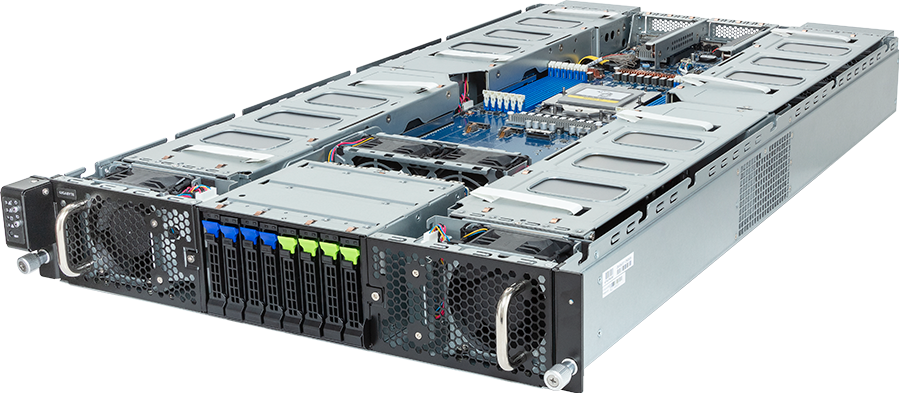
The costly mistakes in a GPU-server installation happen before the NVIDIA driver is installed. An operator selects the data array instead of the boot pair, assigns the only reachable NIC to the wrong VLAN, or changes Secure Boot without planning how kernel modules will be signed. The installer may still finish successfully, leaving a server that is difficult to recover or unsuitable for its workload.
A defensible installation starts with an acceptance record. Choose an Ubuntu release supported by the exact server and intended software stack, install the operating system on identified boot devices, keep datasets and checkpoints separate from the root filesystem, establish one proven network path, and verify the complete hardware inventory before adding the accelerator software.
This guide covers that commissioning gate. It does not prescribe a universal partition size, RAID level or network design: those decisions depend on the chassis, controller, workload and operating model. The server vendor's documentation and the approved deployment design take precedence.
Define the accepted end state before booting the installer
Do not make storage and network decisions from the Subiquity screens alone. Complete a short installation record first:
| Decision | Record before installation | Acceptance evidence | | --- | --- | --- | | Ubuntu release | Exact LTS release and architecture approved for the server and application stack | /etc/os-release and package sources | | Boot mode | UEFI setting and Secure Boot policy | Firmware record and mokutil --sb-state | | Boot devices | Exact model, serial, controller path and resilience method | lsblk, controller inventory and mount table | | Data devices | Dataset, checkpoint and scratch roles | Device-to-mount mapping with UUIDs or stable identifiers | | Management path | BMC address, console method and recovery owner | Independent BMC and console access | | Host network | Installer port, VLAN, address, gateway, DNS and MTU | Link, route, name resolution and reachability checks | | Identity | Hostname, environment, rack or asset reference and time source | hostnamectl and timedatectl | | Installation media | ISO release, download source and verified checksum | Retained checksum and media record |
The record prevents two visually identical NVMe devices or Ethernet ports from being treated as interchangeable. For a fleet, it also becomes the profile against which later nodes can be compared.
Complete the firmware and BIOS baseline first. An operating-system installation should not be used to discover that a GPU, network adapter or boot device disappeared after a firmware change.
Choose the release from the support matrix
Ubuntu Server documentation follows the current LTS, but current is not the same as approved for this deployment. Check four layers:
1. The server manufacturer supports the release and architecture on the exact model. 2. The intended NVIDIA driver branch supports that Ubuntu release and kernel. 3. The CUDA, container, orchestration and application versions have a tested combination. 4. The organisation can maintain the release for the planned service life.
Do not select an interim release merely because it has a newer kernel. New hardware enablement can matter, but a cluster also needs repeatable patching and a known driver path. If an OEM recovery image or vendor-qualified Ubuntu build is required for support, record that requirement rather than silently replacing it with a generic ISO.
Download the server image from an official Ubuntu source and verify its published checksum before writing the media or mounting it through the BMC. Record the image filename and checksum in the commissioning evidence. Treat remote virtual media as a management dependency: prove that the console remains usable during reboot and that the selected image is still attached before changing boot order.
Separate boot, datasets, checkpoints and scratch space
The default use-an-entire-disk path is intended to make a general server easy to install. A GPU server often has several storage tiers, so accepting that default without identifying every device can destroy data or produce an awkward layout.
Use the actual workload to assign roles:
| Storage role | Design concern | Common failure to avoid | | --- | --- | --- | | Operating system | Recoverability, logs, package cache, crash dumps and resilience | Installing root on a high-value data device or leaving no headroom | | Dataset cache | Read throughput, capacity and refill time | Treating a disposable cache as the only copy of a dataset | | Checkpoints | Sustained writes, endurance, capacity and backup policy | Filling the root filesystem during a long training run | | Container and model cache | Growth, inode use and eviction policy | Allowing images or model weights to consume /var unexpectedly | | Scratch space | Throughput and explicit lifecycle | Assuming temporary local NVMe is durable storage | | Shared storage | Multipath, authentication and mount ordering | Making first boot depend on an untested network path |
Where the platform provides two suitable enterprise boot devices, a mirrored boot arrangement can reduce avoidable downtime, but the implementation must match the controller and recovery process. Hardware RAID, software RAID and direct-attached NVMe expose different failure and replacement behaviour. Do not create an array merely because two devices are present.
Keep valuable datasets and checkpoints off the root filesystem. A separate logical volume is easier to resize than a fixed partition, but LVM is not a substitute for RAID or backup. Encryption also changes operations: an encrypted root device that requires a person at the console after every reboot may conflict with remote-cluster recovery. Decide how keys are protected and how an authorised operator recovers the node before enabling unattended operation.
At the final storage confirmation screen, stop and compare the selected device identities with the pre-install record. Capacity alone is not enough. Confirm the model, serial number, controller path and intended role. Partitioning is destructive; this is the point at which a second operator's check is valuable.
Establish one simple network path first
The BMC network and the Ubuntu host network are separate control planes. Keep the independent BMC path working throughout installation, then establish one host interface that can reach the required package mirror, DNS, time service and administration network.
Before starting, map each physical port to its MAC address and PCIe device. Dense GPU servers may expose motherboard ports, OCP NICs, DPUs and high-speed adapters whose Linux names do not match the labels on the chassis. Record the cable, switch port, VLAN, expected MTU and bond membership.
During installation:
- Configure only the interface needed to complete installation and first login.
- Use DHCP when it is the approved staging method; reserve or record the address so the node can be found again.
- For a static address, verify prefix length, gateway and DNS rather than copying another node's configuration.
- Do not enable jumbo frames until every hop in that path has been checked.
- Leave storage, east-west GPU traffic, InfiniBand and production bonds for a controlled post-install change.
Ubuntu Server normally renders installer networking through Netplan. Remote edits after first boot should use netplan try where appropriate because it can roll back an unconfirmed change. That safety mechanism does not replace console access: a malformed VLAN, bond or route can still remove the path you are using.
Keep management, storage and GPU fabric traffic distinct in the design even when they temporarily share a port during staging. A successful ping does not prove the intended isolation, MTU or routing policy.
Keep Secure Boot as an explicit decision
Do not disable Secure Boot automatically to make a driver problem disappear. Ubuntu verifies the bootloader, kernel and kernel modules when Secure Boot is enforcing. Third-party DKMS modules may require a Machine Owner Key (MOK) to be generated, enrolled at the next reboot and used for module signing.
Record whether Secure Boot is required, optional or deliberately disabled, and why. If a MOK enrolment screen is expected after installing a driver, make sure an operator has console access and understands the one-time enrolment step. A server that boots but refuses to load an unsigned module has a trust-chain issue, not evidence that Secure Boot is incompatible with GPUs.
At this commissioning stage, install the base operating system first. Do not mix a firmware change, operating-system installation and NVIDIA driver experiment into one event. The separate driver and CUDA compatibility gate is easier to diagnose when the base OS already has stable storage, networking and time.
Complete the installer without adding avoidable dependencies
A practical first-node sequence is:
1. Boot the verified image in the approved UEFI mode. 2. Confirm the installer sees the expected CPU, memory, boot devices and network interface. 3. Apply the recorded storage layout and review the destructive-action summary. 4. Set the approved hostname and initial administrative account. 5. Install OpenSSH only when remote administration is required, using an approved public key where possible. 6. Avoid optional software bundles that are not part of the build specification. 7. Finish installation, remove or detach the media and observe the first local boot. 8. Keep the BMC console open until local login, network reachability and the boot-device order are confirmed.
Do not use a shared commissioning password across a fleet. If a temporary credential is required, control its distribution and replace it through the normal identity-management process. Do not embed credentials, private SSH keys or Ubuntu Pro tokens in a reusable autoinstall file.
Capture first-login evidence before installing GPU software
The first login is an inventory and recoverability check. Capture output rather than relying on a successful shell prompt:
cat /etc/os-release uname -r hostnamectl timedatectl ip -brief link ip -brief address ip route resolvectl status lsblk -e7 -o NAME,MODEL,SERIAL,SIZE,TYPE,FSTYPE,MOUNTPOINTS findmnt lspci -nn sudo dmidecode -t system -t bios mokutil --sb-state systemctl --failed journalctl -p err -b
Interpret the results against the pre-install record:
- The OS release, architecture and kernel match the approved image.
- The hostname is unique and the clock is synchronised to the intended source.
- The expected default route and DNS servers are present.
- Every boot and data device is visible, with the intended filesystem and mount point.
- All GPUs, NICs, storage controllers and other PCIe devices appear before a vendor driver is added.
- Secure Boot is in the recorded state.
- No unexplained failed service or critical boot error remains.
Run sudo apt update to confirm repository access and inspect the proposed updates before changing the system. Apply the organisation's approved patch baseline in a maintenance window, then reboot if the kernel or boot components changed and repeat the inventory checks. Do not claim acceptance from APT success alone.
Stop when the evidence does not match
Do not move on to the NVIDIA driver when any of these conditions appears:
- the server boots from a different device than the recorded boot target;
- one boot member, data drive, GPU, NIC or controller is missing;
- the root filesystem occupies a device reserved for datasets or checkpoints;
- the system has no reliable route, DNS resolution or time synchronisation;
- the intended SSH key is absent or an unexpected account can log in;
- Secure Boot state differs from the approved design;
- new PCIe, storage, memory, thermal or machine-check errors appear in the journal or BMC log;
- the host can be reached only through a temporary network that has no documented migration path.
Preserve the installer log, console output, BMC event log, device inventory and network configuration before changing anything else. Correct one cause at a time. Reinstalling repeatedly without explaining the mismatch destroys useful evidence.
Turn a successful canary into a repeatable build
After one representative node passes, convert the decisions into a version-controlled autoinstall or configuration-management profile. Canonical's autoinstall tooling can make a fleet consistent, but automation magnifies a wrong disk selector or network match rule. Test the configuration on the same hardware profile and use stable device identifiers where the installer supports them.
Keep secrets outside the template. Version the storage, network and package decisions, and record which server revisions they apply to. A different RAID controller, NIC, DPU or boot-device arrangement is a new profile until proven otherwise.
The commissioning record should include the image checksum, installation method, storage map, Netplan configuration, package baseline, first-login inventory and named acceptance owner. This evidence makes later driver, CUDA, container and benchmark results comparable.
Ubuntu installation acceptance checklist
A node is ready for the driver stage only when all of the following are true:
- [ ] The approved Ubuntu release boots from the intended resilient boot device or device pair.
- [ ] Dataset, checkpoint, container-cache and scratch roles are separated as designed.
- [ ] BMC access and a recovery console remain available.
- [ ] Hostname, DNS, routes, time and the staging network match the deployment record.
- [ ] Every expected PCIe device is visible before NVIDIA software is installed.
- [ ] Secure Boot and any MOK requirement are understood and recorded.
- [ ] Package sources are approved and reachable.
- [ ] Failed services, boot errors and BMC events have been reviewed.
- [ ] The captured evidence is attached to the node or fleet acceptance record.
For a configurable PCIe GPU server, the final GPU, storage and networking choices determine the installation profile. GPUMachines can review that complete configuration before the Ubuntu baseline is frozen.
Questions operators ask
Should Ubuntu be installed on the same NVMe used for datasets?
Usually not. Keeping the OS and application data separate limits blast radius, makes rebuilds easier and prevents training data or checkpoints from filling root. The correct layout still depends on device count, controller design, endurance and recovery requirements.
Should Secure Boot be disabled before installing an NVIDIA driver?
Not by default. Current Ubuntu releases support signed boot components and MOK-based signing for third-party kernel modules. Use the approved driver method and troubleshoot the trust chain before deciding to change the firmware security policy.
Should the installer configure every high-speed network interface?
No. Establish one known administrative path first. Configure storage and GPU-fabric interfaces after the base OS is accepted, when port identity, VLANs, MTU, bonding and routing can be verified without risking the only management connection.
When is the installation complete?
When the server boots from the intended storage, exposes the expected hardware, has a recoverable management path, matches the recorded network and security state, and has retained evidence for the next commissioning step. Reaching a login prompt is only the start of that proof.
Sources and further reading
- Ubuntu Server basic installation
- Ubuntu Server installation guidance
- Ubuntu Server system requirements
- Netplan tutorial and safe configuration workflow
- Netplan command-line reference
- Ubuntu UEFI Secure Boot documentation
- NVIDIA driver installation guide for Ubuntu
> Configure and price the GIGABYTE G293-Z22-AAP1 -> Open the GIGABYTE G293-Z22-AAP1 configurator