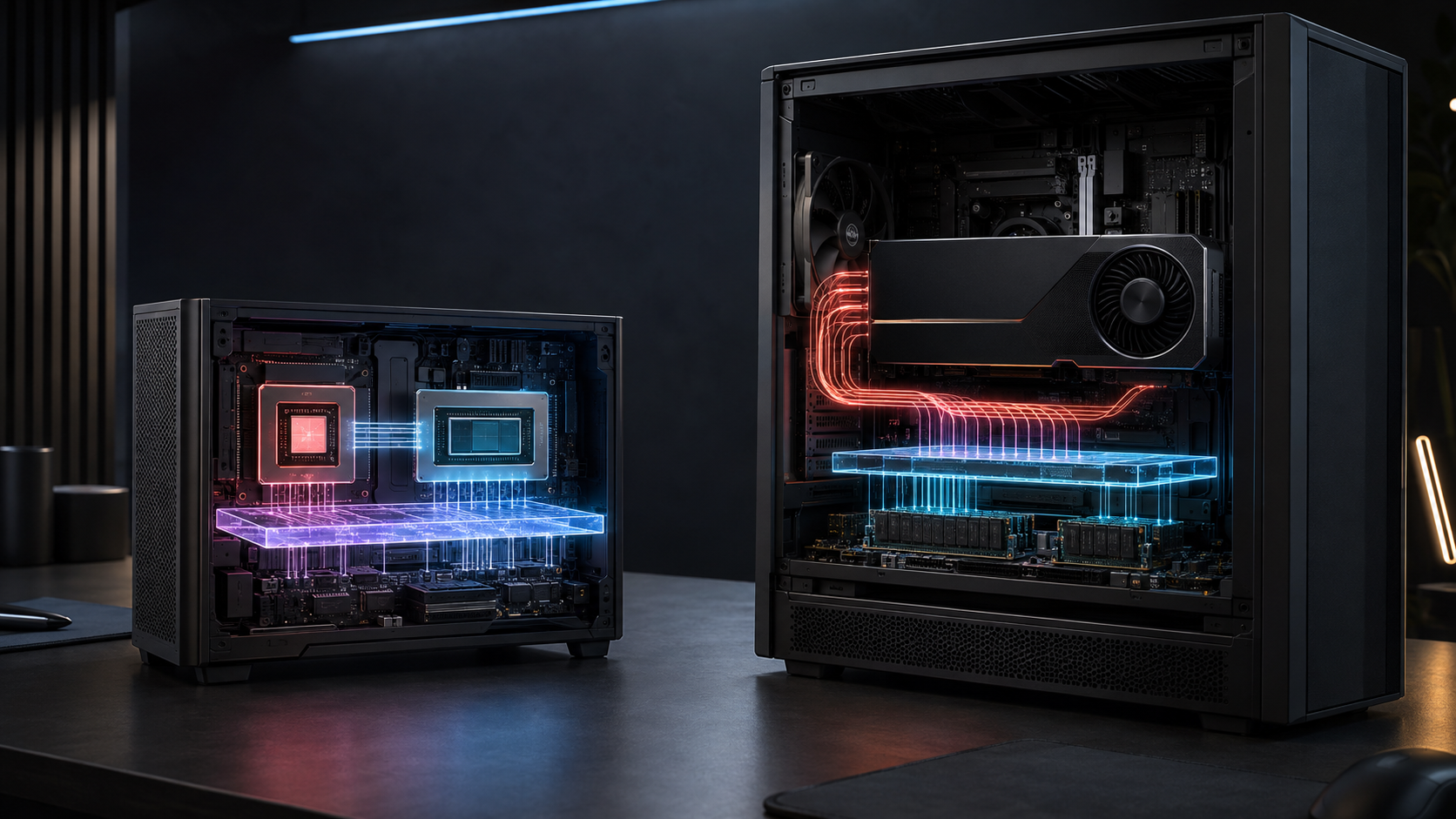
AMD's 192 GB figure is easy to misunderstand. It does not turn a compact Ryzen AI system into a rack-scale training server, and it does not make LPDDR5X behave like GPU HBM. It does solve a problem that defeats many otherwise fast workstations: the model can be too large to load before performance even enters the discussion.
That distinction should drive the buying decision. A Ryzen AI Max+ PRO 495 workstation can be the better local AI machine when memory capacity, privacy, desk-side access and modest power draw matter more than maximum token throughput. A discrete NVIDIA or AMD GPU workstation remains the safer choice when the application depends on CUDA, high memory bandwidth, certified software, sustained rendering or established multi-GPU tooling.
The short answer
Choose a 192 GB Gorgon Halo system for local inference, model evaluation, retrieval experiments and agent development when the working set exceeds ordinary GPU memory but does not require data-centre throughput. It can keep a much larger quantised model on one memory fabric than a 32 GB GeForce RTX 5090 or 48 GB Radeon PRO W7900.
Choose a discrete-GPU workstation when the workload already fits its VRAM and the software is tuned for that accelerator. NVIDIA's RTX PRO 6000 Blackwell Workstation Edition has 96 GB of ECC GDDR7 and 1,792 GB/s of published memory bandwidth. AMD's Radeon PRO W7900 has 48 GB of GDDR6 and 864 GB/s. Both have far more published bandwidth than the theoretical rate derived from Gorgon Halo's 256-bit LPDDR5X-8533 interface.
Use cloud or hosted GPU infrastructure when utilisation is irregular, several people need the system, uptime matters, or the job needs accelerators and interconnects that do not belong under a desk. The right comparison is not local versus cloud in the abstract. It is the cost and delay of your actual queue, model, data and operating practice.
What AMD announced
AMD introduced the Ryzen AI Max PRO 400 series in May 2026 and used its IFA Berlin keynote in September to place the platform in a wider "personal supercomputer" story. The series is intended for commercial PCs, mobile workstations and small-form-factor desktops. AMD lists HP and Lenovo among the expected OEM partners, with systems due in the third quarter of 2026.
The top Ryzen AI Max+ PRO 495 combines 16 Zen 5 CPU cores, 32 threads, Radeon 8065S integrated graphics with 40 compute units, an XDNA 2 NPU rated at up to 55 TOPS, and support for 192 GB of LPDDR5X-8533 memory on a 256-bit interface. AMD gives it a configurable 45 to 120 W TDP range. The 12-core PRO 490 and eight-core PRO 485 retain the 192 GB memory ceiling but use Radeon 8050S graphics with 32 compute units.
AMD describes up to 160 GB as graphics memory on the new developer platform. That is an allocation from unified system memory, not a separate bank of 160 GB GDDR or HBM soldered beside the GPU. CPU and GPU share the same physical memory pool through a unified architecture.
This is why the platform is interesting. A conventional workstation has system RAM on one side of PCIe and dedicated GPU memory on the other. Data often has to be copied between them, and the model must fit within the GPU's local memory unless the software uses offload or partitioning. Gorgon Halo gives the integrated GPU access to a much larger addressable pool without that PCIe copy boundary.
192 GB system memory is not 192 GB of free model space
Some of the memory must remain available to the operating system, applications, model runner, kernels, caches and output buffers. AMD's own platform language refers to 160 GB of graphics memory within a 192 GB system. Treat 160 GB as the advertised upper allocation, not as a promise that every application will expose or use exactly that amount.
Raw parameter arithmetic is still useful as a first filter:
| Model size | Raw weight storage at 16-bit | Raw weight storage at 8-bit | Raw weight storage at 4-bit | | --- | ---: | ---: | ---: | | 32 billion parameters | about 64 GB | about 32 GB | about 16 GB | | 70 billion parameters | about 140 GB | about 70 GB | about 35 GB | | 120 billion parameters | about 240 GB | about 120 GB | about 60 GB | | 200 billion parameters | about 400 GB | about 200 GB | about 100 GB | | 300 billion parameters | about 600 GB | about 300 GB | about 150 GB |
These are weight-only estimates based on two, one or half a byte per parameter. Real memory demand is higher. Quantisation metadata, execution buffers, framework overhead, multimodal encoders, mixture-of-experts routing, context state and key-value cache all consume memory. A model family may also use a parameter label that does not map neatly to the checkpoint loaded by the runner.
AMD says the 160 GB graphics allocation is capable of running models above 300 billion parameters at 4-bit quantisation. That is a vendor claim tied to model fit, not an independent GPUMachines speed result. The raw arithmetic leaves little headroom at 300 billion parameters, so the exact model format, context length and runtime matter.
For buyers new to this sizing exercise, our guides to GPU memory for local AI models and open-weight terminology explain the underlying terms without tying them to one processor.
Capacity and bandwidth answer different questions
Memory capacity answers, "Can the working set be resident?" Memory bandwidth helps answer, "How quickly can the processor read it while generating output?"
The PRO 495 specification gives LPDDR5X-8533 on a 256-bit bus. Multiplying 8,533 million transfers per second by 32 bytes per transfer gives roughly 273 GB/s of theoretical peak bandwidth. This is a calculation from the interface specification, not a measured application result. Actual sustained bandwidth will be lower and is shared by CPU and GPU activity.
Compare that with published dedicated-GPU figures:
| Platform | Addressable accelerator memory | Published or derived peak memory bandwidth | Power figure | Main constraint | | --- | ---: | ---: | ---: | --- | | Ryzen AI Max+ PRO 495 system | up to 160 GB allocated to graphics from 192 GB unified memory | about 273 GB/s theoretical for the shared LPDDR5X interface | 45 to 120 W processor cTDP | bandwidth and shared-memory contention | | GeForce RTX 5090 | 32 GB GDDR7 | vendor specification varies by board; verify the selected card | 575 W reference total graphics power | model capacity and consumer support model | | Radeon PRO W7900 | 48 GB GDDR6 | 864 GB/s | 295 W board power | 48 GB capacity and software fit | | RTX PRO 6000 Blackwell Workstation Edition | 96 GB ECC GDDR7 | 1,792 GB/s | 600 W maximum | cost, power, cooling and 96 GB capacity |
The table does not rank the products. A 70-billion-parameter 4-bit model may fit on several of them. If it fits comfortably on a discrete GPU, that GPU's greater bandwidth and mature kernels can make it the faster tool. If a 120-billion-parameter or larger working set cannot fit, the Gorgon Halo system may finish a task that a faster 48 GB card cannot start without offload.
This is the strongest case for unified memory: it moves the capacity cliff. It does not remove the performance trade-off.
Where Gorgon Halo can be the better workstation
Large local model evaluation
Research teams often need to inspect a checkpoint, compare quantisation levels, test prompts or review sensitive documents before deciding whether a model deserves production infrastructure. A 160 GB graphics allocation can make that possible on one compact system. The team avoids splitting the model across several cards or pushing most of it into slow CPU offload.
The gain is practical even when generation is slower than on HBM. An evaluation that runs locally at an acceptable rate can be more useful than a high-throughput configuration that requires a rack purchase or cloud approval first.
Private data and intermittent use
Local execution keeps prompts, documents and outputs inside the organisation's own endpoint security boundary. That does not make the workstation secure by default. Disk encryption, identity, patching, backups, audit logs and network controls still matter. It does remove one external data transfer from the workflow.
For intermittent engineering work, ownership can also be easier to budget than a permanent cloud reservation. Cloud remains attractive for bursts, rare jobs and access to very large accelerators. The local system earns its place when people use it often enough that queue time, data movement and repeated rental become a drag.
CPU-heavy pipelines sharing one pool
Some applications move data repeatedly between preprocessing, retrieval, model execution and post-processing. Unified memory can reduce explicit copies and let CPU-side tools work against the same large pool. Whether that helps depends on the runtime. A badly tuned application can still copy data, allocate inefficiently or contend with itself.
Power- and space-limited labs
A 45 to 120 W processor envelope is materially different from a 600 W professional GPU before the host CPU and rest of the workstation are counted. OEM system power will be higher than the processor cTDP, but the platform can fit sites that cannot support a large dual-socket tower, several add-in cards or data-centre acoustics.
Small does not mean silent or cool. Sustained AI work can hold the processor near its configured power limit for long periods. Buyers should ask the OEM for sustained clocks, fan behaviour, wall power and thermal test conditions rather than relying on a short benchmark.
Where a discrete GPU is still the better answer
CUDA-first applications
Many AI packages run on more than one accelerator in theory while their well-tested path remains NVIDIA CUDA. Custom CUDA extensions, inference engines, renderers, simulation packages and scientific codes can determine the hardware choice before memory capacity is discussed. Porting cost and lost engineering time can exceed any saving on the workstation.
AMD lists PyTorch, vLLM, llama.cpp, Ollama, ComfyUI and LM Studio around its Ryzen AI Halo platform, and ROCm 10 lists the Ryzen AI Max PRO 400 series as supported. That is meaningful progress. It is still necessary to test the exact model, runtime, operating system, kernel and quantisation method that the team intends to use.
Bandwidth-bound inference and rendering
Autoregressive model generation frequently streams weights from memory for each token. Once the model fits, memory bandwidth can dominate. The RTX PRO 6000's published 1,792 GB/s is more than six times the Gorgon Halo theoretical shared-memory calculation. That ratio is not a prediction of six-times application performance, but it explains why capacity alone cannot settle the purchase.
Rendering and simulation add their own specialised kernels, application certifications and driver expectations. A professional discrete GPU may be the less risky choice even when its memory is smaller.
Expansion and multi-GPU growth
The PRO 495 exposes 16 usable PCIe 4.0 lanes according to AMD's product page. That is suitable for a compact integrated platform, but it is not the expansion base of a Threadripper PRO or server platform. Multiple GPUs, high-speed NICs, storage adapters and many local NVMe devices quickly need more lanes and better chassis airflow.
If the roadmap already includes several accelerators or shared users, start with tower GPU workstations that expose the required slots, or compare the wider GPU server hardware range. Buying the compact system first and replacing it six months later is not a saving.
Production service obligations
A desk-side workstation can host an internal model, but uptime changes the design. Production serving needs remote management, redundant storage or a recovery plan, monitoring, controlled updates, capacity isolation and someone responsible for incidents. A hosted server often makes more sense when the organisation wants to own the hardware without operating a machine room. GPUMachines' Buy & Host service is one route for that operating model.
Gorgon Halo versus cloud instances
Cloud comparisons go wrong when buyers compare purchase price with an hourly rate and stop there. Include utilisation, commitment term, storage, data transfer, orchestration, idle capacity, engineering time and the cost of waiting for procurement.
A local 192 GB system is attractive when:
- one team needs frequent access;
- the model and data should remain local;
- interactive latency matters more than batch throughput;
- the software path has already been proved on ROCm;
- the job fits one system and does not require data-centre reliability.
Cloud is attractive when:
- jobs are occasional or highly variable;
- the team needs H100, H200, B200 or another accelerator briefly;
- several regions or users need access;
- managed operations are worth more than ownership;
- experiments may fail and the team wants to stop paying immediately afterwards.
There is a sensible hybrid pattern. Keep routine development and private evaluation local, then send measured production candidates to a hosted server or cluster. The local workstation becomes the developer's instrument, not a miniature production estate.
What to test before ordering
Start with the exact checkpoint and runner. A family name such as "70B" is not enough. Record the repository revision, file format, quantisation, context target and any vision or audio components.
Then run a small proof on the intended software stack and collect:
- peak memory allocation during model load and generation;
- time to first token and steady decode rate;
- prompt-processing rate at realistic context lengths;
- CPU and GPU memory bandwidth utilisation;
- wall power, temperature, fan behaviour and sustained clocks;
- cold-start time from local NVMe;
- failures after repeated model loads or long sessions;
- output quality against the unquantised or higher-precision baseline.
Repeat with the CPU performing the real preprocessing and retrieval work. A benchmark that leaves the CPU idle can hide contention in a unified pool. Test the longest expected session, not only a one-minute run.
For cloud comparison, run the same workload on the candidate instance and include upload, model loading and idle time. Use observed cost per completed job or per useful output. Token price alone can conceal setup and storage costs.
A practical buying rule
Gorgon Halo is not a slower substitute for every discrete GPU. It is a different answer to the memory-fit problem.
Buy it when the value lies in loading a large quantised model locally, keeping data close to the user and working within modest space and power. Buy a discrete professional GPU when the model fits, speed matters, and the software has a mature accelerator path. Use a server or hosted system when users, uptime, expansion or operations have outgrown a personal workstation.
The most useful quotation request includes the model repository, precision, target context, concurrent users, acceptable latency, data location and preferred operating system. GPUMachines can then compare a compact unified-memory platform with a discrete GPU workstation, server hardware or a hosted deployment without pretending that one memory number decides the result.
Sources and Further Reading
- AMD at IFA Berlin 2026
- AMD Ryzen AI Halo and Ryzen AI Max PRO 400 series announcement
- AMD Ryzen AI Max+ PRO 495 specifications
- AMD ROCm 10 release notes and supported devices
- NVIDIA RTX PRO 6000 Blackwell Workstation Edition specifications
- NVIDIA GeForce RTX 5090 product specifications
- AMD Radeon PRO W7900 specifications