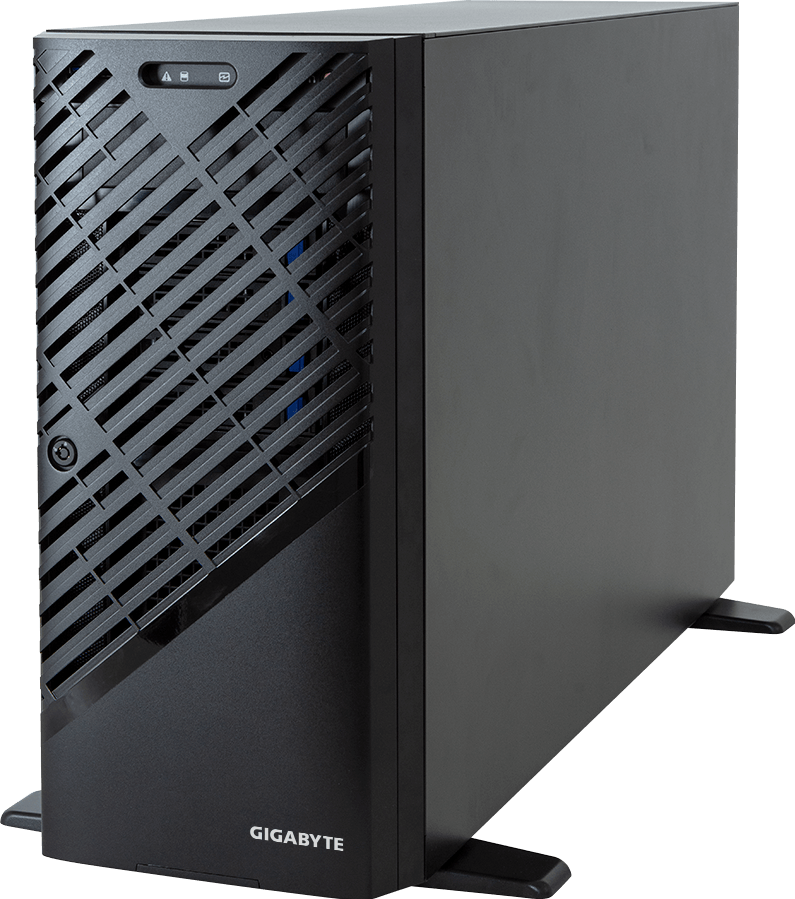
Judge RTX 5090 vs RTX PRO 6000 at the point of data governance: RTX 5090 leans towards local AI and creator workstation economics; RTX PRO 6000 changes the conversation towards platform fit.
Translate RTX 5090 vs RTX PRO 6000 against remote support, workload mix and cooling method; avoid ranking the options until workload class, server form factor, management model and growth path are clear. For GPUMachines, RTX 5090 vs RTX PRO 6000 should produce a buying decision that can survive facilities review.
Executive Summary
Choose RTX 5090 when the buyer needs a powerful single-user desktop GPU for experimentation, content creation, gaming-adjacent workflows, local model testing or cost-sensitive AI development.
Choose RTX PRO 6000 Blackwell when the buyer needs a professional GPU platform with a much larger VRAM class, professional driver expectations, workstation or server integration and a stronger fit for serious multi-user or production workflows.
RTX 5090 can be a brilliant local GPU. RTX PRO 6000 Blackwell is the more appropriate choice when the system must be specified, supported and operated as professional infrastructure.
Start with the deployment type: review tower GPU workstations, compare rack GPU workstations, or configure an RTX PRO capable PCIe GPU server.
Quick Comparison
| Area | RTX 5090 | RTX PRO 6000 Blackwell | | --- | --- | --- | | Product family | GeForce | RTX PRO professional | | Typical buyer | Enthusiast, creator, developer | Professional workstation, studio, lab, server buyer | | Memory direction | High-end desktop VRAM | Larger professional VRAM class | | Driver/support model | Consumer and creator workflows | Professional application and infrastructure workflows | | Deployment | Desktop workstation | Tower workstation, rack workstation, PCIe server | | Best fit | Local experiments and single-user creation | Production AI, visualisation, rendering, remote workstation pools | | Main caution | Not ideal for enterprise multi-user infrastructure | May be excessive for hobby or small single-user work |
Platform Highlights
- RTX 5090 is attractive because it brings high-end Blackwell performance to a desktop-class form factor. For individual developers and creators, that can be a very practical way to work locally.
- RTX PRO 6000 Blackwell is attractive because professional workloads often need more than raw GPU speed. VRAM capacity, driver certification, thermal behaviour, system integration and supportability can matter more.
- The professional card is the stronger fit when a GPU will be used by a team, integrated into a rack platform, deployed remotely, or expected to run production workloads for long periods.
- The GeForce card is the stronger fit when the buyer controls the workstation, accepts consumer-driver trade-offs and values cost-efficiency for experimentation.
- Multi-GPU design is a major differentiator. A desktop RTX 5090 build is not the same operational object as a properly cooled multi-GPU rack server.
Our Technical View
In the GPUMachines portfolio, RTX 5090 belongs in the conversation when a buyer wants a powerful local workstation or proof-of-concept environment. It can make sense for local LLM testing, creative applications, rendering experiments and small research teams that are not yet building shared infrastructure.
RTX PRO 6000 Blackwell belongs in the professional infrastructure conversation. It is the better fit for workstation fleets, remote workstations, high-VRAM professional rendering, AI development servers, inference boxes and PCIe GPU servers where reliability, thermal design and support expectations matter.
The mistake is to treat RTX 5090 as a cheap RTX PRO replacement. Sometimes it is the right card. Sometimes it is an expensive shortcut that creates driver, service, cooling or governance problems later.
Best-Fit Workloads
RTX 5090 is suitable for individual AI development, local inference experiments, content creation, rendering, video workflows, game-development testing and smaller model evaluation where a desktop environment is acceptable.
RTX PRO 6000 Blackwell is suitable for professional visualisation, engineering simulation, rendering farms, remote workstation services, local AI research, larger VRAM workflows, multi-GPU PCIe servers and production inference environments where the system must be supportable.
For LLM work, the practical split is memory and operating model. If the model fits and one user owns the system, RTX 5090 can be enough. If the workload needs larger models, higher concurrency, shared access or professional support, RTX PRO 6000 Blackwell is the safer direction.
Who Should Consider RTX 5090
Consider RTX 5090 if the buyer is a developer, researcher, founder, artist or creator who wants maximum local capability in a desktop environment. It is also sensible for early prototyping where the team is still learning the model stack and does not yet know its production requirements.
It can be a good stepping stone before moving to GPU Cloud, a hosted system or a dedicated PCIe GPU server.
Who Should Consider RTX PRO 6000 Blackwell
Consider RTX PRO 6000 Blackwell if the GPU will be business-critical. That includes rendering pipelines, engineering workstations, virtual workstations, AI labs, private inference services, shared development boxes and rackmount deployments.
The larger professional memory class is important when workloads outgrow desktop VRAM. Professional driver and platform expectations also matter when downtime has a real cost.
Who Should Not Buy Either
Do not buy RTX 5090 if the project requires professional driver support, validated workstation behaviour, large VRAM headroom, remote multi-user access or a rack server designed for continuous production use.
Do not buy RTX PRO 6000 Blackwell if the buyer simply wants a single-user hobby machine, gaming PC or small local model runner. In those cases, the professional premium may not translate into useful value.
Do not buy either if the workload is really HGX-class training. For tightly coupled multi-GPU training, review HGX systems rather than trying to solve the problem with desktop-style GPUs.
Architecture Notes
Desktop GPUs and professional GPUs can look similar in marketing language, but the architecture around them is different. A desktop system is usually optimised for one user, one operating environment and a limited expansion plan. A professional workstation or PCIe server must consider rack placement, cooling path, power feeds, CPU lanes, system RAM, NVMe, network adapters and remote access.
For RTX PRO 6000 Blackwell, the chassis is especially important. Multi-GPU PCIe platforms need correct GPU spacing, sufficient PSU capacity, high-pressure airflow and careful NIC placement. If the GPU variant is passively cooled, it must be placed in a chassis designed to move air through the card.
For RTX 5090, the issue is often the opposite. The desktop build may be physically easier, but buyers should avoid treating it as data centre infrastructure. Remote access, uptime, serviceability and governance can become awkward if a consumer workstation becomes a production service by accident.
Configuration Guidance
For RTX 5090, focus on a balanced desktop or tower workstation. Choose CPU and RAM for preprocessing, application work and local development. Use fast NVMe for model files, datasets and project assets. Plan power and cooling honestly.
For RTX PRO 6000 Blackwell, define the expected workload first. Rendering, virtual workstations, inference and AI development all shape the CPU, RAM, storage and network choices differently. If multiple GPUs are needed, use a chassis designed for multi-GPU service rather than forcing desktop components into the wrong role.
For team access, think beyond the GPU. Authentication, remote desktop or notebook access, storage permissions, backups, monitoring and management networks matter once the machine is shared.
Recommended Configuration Paths
- Best for local AI development: RTX 5090 in a strong tower workstation, fast NVMe, enough system RAM and a practical CPU.
- Best for professional AI workstation: RTX PRO 6000 Blackwell with high system RAM, workstation-class cooling and application-specific storage.
- Best for remote workstation pool: RTX PRO GPUs in a rack or server platform with management networking and storage integration.
- Best for inference services: RTX PRO PCIe server when each GPU can run independent workers; HGX when tightly coupled acceleration is required.
Buying Through GPUMachines
GPUMachines can help decide whether the right answer is a desk-side workstation, rack workstation, PCIe GPU server, hosted GPU service or HGX system. The useful buying questions are: who uses the machine, how often, with what model or application, and what happens if the system is offline?
Start with tower GPU workstations for local use, PCIe GPU servers for shared infrastructure, or Buy & Host if data centre operations are better handled by GPUMachines.
Decision Depth: What Changes the Shortlist
RTX 5090 vs RTX PRO 6000 becomes a stronger article when the comparison is tied to evidence rather than preference. RTX 5090 and RTX PRO 6000 may both be credible in the abstract, but the correct choice depends on how the system will be powered, cooled, networked, monitored and used after delivery.
The buyer is usually trying to avoid a false equivalence: two options may sit in the same budget discussion while requiring different servers, cooling assumptions, software paths and support expectations. In a GPUMachines review, the useful conversation starts with the role of RTX 5090 and RTX PRO 6000, then works outward to the server, rack, network, storage and hosting route. This prevents the article from becoming a spec sheet and gives the buyer a clearer view of what must be true before the recommendation is safe.
For RTX 5090 vs RTX PRO 6000, the important planning route is to compare workstation, PCIe GPU server, HGX server, hosted GPU and cluster deployment. The strongest option is not always the largest platform. It is the one that keeps the workload productive without forcing unnecessary operational complexity.
Evidence to Collect Before Choosing
Before a final quote or configuration review, the buyer should collect evidence that describes the real workload. For RTX 5090 vs RTX PRO 6000, the most useful inputs are:
- Target model sizes and precision modes.
- Expected concurrent users or queued jobs.
- Server form factor, GPU count and interconnect requirement.
- Rack power, cooling and service access constraints.
- Software framework and driver expectations.
These inputs make the discussion more concrete. They also help GPUMachines distinguish between a temporary proof of concept, a production service, a research platform and a long-term private AI estate. Those four cases can point to very different hardware even when the public keyword looks similar.
Operational Fit and Procurement Notes
The deployment path should be chosen with memory capacity, GPU-to-GPU communication, software support, thermals and growth path in mind. If the system will run in a customer facility, the rack power, cooling, cable routing and remote management model need to be checked early. If GPUMachines hosts the system, the conversation shifts towards access, data movement, management responsibility and how the service will be operated day to day.
A serious deployment should also include a plan for monitoring, patch windows, user access, backups, failed-component replacement and configuration drift. Those points may sound less exciting than GPU choice, but they decide whether the platform remains dependable after the first successful run. For buyers comparing several options, this is often where the most sensible choice becomes obvious.
Misconfiguration Risks to Avoid
Common mistakes for RTX 5090 vs RTX PRO 6000 include:
- Choosing the newer or louder option without checking whether the software stack can use it.
- Ignoring the chassis, airflow and rack power required by the selected platform.
- Treating two products as interchangeable when their operating models are different.
- Buying before the team has defined concurrency, precision and growth requirements.
The safest way to avoid these mistakes is to keep the buying process evidence-led. Define the workload, map the data path, choose the operating model, and only then settle the final GPU, CPU, RAM, storage and networking configuration. That sequence gives GPUMachines a better basis for review and gives the buyer a clearer reason for each part of the bill of materials.
Practical Review Checklist
Use this checklist before treating the article recommendation as final:
- Confirm the exact workload, model, dataset or business case behind the article topic.
- Decide whether the target is evaluation, production inference, fine-tuning, training, research, hosting or edge deployment.
- Check whether the selected route needs workstation access, PCIe GPU servers, HGX servers, shared storage, a high-speed fabric or hosted private capacity.
- Validate power, cooling, noise, rack, cabling and service-access assumptions before hardware is ordered.
- Define who owns monitoring, user access, backups, incident response, software updates and future expansion.
- Ask GPUMachines to review the configuration if any requirement is uncertain, especially around GPU compatibility, memory population, NIC placement, rack density or hosting.
This checklist is deliberately practical. It turns RTX 5090 vs RTX PRO 6000 from a keyword into a buying conversation that can be acted on by engineering, procurement and operations teams.
FAQ
Is RTX PRO 6000 Blackwell faster than RTX 5090?
Performance depends on the application, driver, precision, model size and system design. The professional card's main advantage is not just speed; it is memory, driver expectations and platform fit.
Is RTX 5090 good for AI?
Yes, for many local AI experiments and single-user workflows. It is less suitable when the workload becomes shared, hosted or production-critical.
Why would a buyer pay for RTX PRO?
Professional buyers often need larger VRAM, workstation integration, supportability, professional application behaviour and a system that can be specified for continuous business use.
Can RTX 5090 be used in a server?
It may be physically possible in some contexts, but it should not be assumed. Cooling, power, driver model, serviceability and warranty expectations must be reviewed carefully.
Which GPU is better for rendering?
For professional rendering pipelines, RTX PRO is usually the safer business choice. For individual creators, RTX 5090 may be enough if the workflow fits.
Verdict
RTX 5090 is a strong desktop-class choice for individual creators and AI developers. RTX PRO 6000 Blackwell is the stronger professional infrastructure choice for serious workstation, server and shared deployment scenarios.
Choose RTX 5090 when the work is local, individual and cost-sensitive. Choose RTX PRO 6000 Blackwell when the system needs professional memory headroom, integration and operational confidence.
Next step: compare GPUMachines workstation and PCIe GPU platforms.