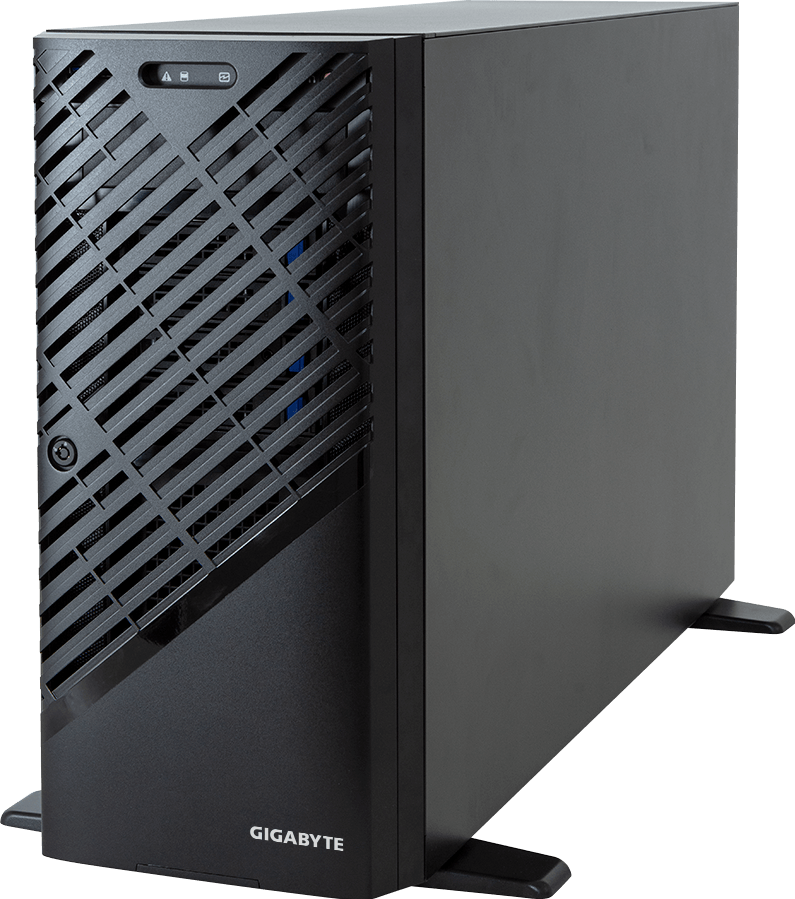
The GIGABYTE W773-H5D-AAF1 is a pedestal workstation built around one AMD Ryzen Threadripper PRO 9000 or 7000 WX processor, eight DDR5 memory channels and as many as four qualified dual-slot GPUs. It offers six PCIe Gen5 x16 slots, four onboard Gen5 M.2 sockets, dual 10GbE and up to eight front SATA bays in a chassis that can sit beside a technical team or be converted for rack use with an optional kit.
The four-GPU claim needs context. GIGABYTE validates four RTX PRO 6000 Blackwell Max-Q Workstation Edition cards, four RTX 6000 Ada cards or four AMD Radeon AI PRO R9700 cards. The full-power RTX PRO 6000 Blackwell Workstation Edition is listed as a one-GPU configuration, and triple-slot cards reduce the maximum to two. Card variant, width and power decide the usable count.
Configure the GIGABYTE W773-H5D-AAF1 on GPUMachines after choosing the exact GPU family. A “four GPU” workstation is not permission to select four of any card with an x16 connector.
Technical review summary
Revision 3.x supports Ryzen Threadripper PRO 9000 WX and 7000 WX processors on sTR5, with CPU TDP up to 350 W. The WRX90 platform exposes eight DDR5 RDIMM channels through eight DIMM sockets. GIGABYTE publishes memory speeds up to 6,400 MT/s with Threadripper PRO 9000 WX and 5,200 MT/s with 7000 WX, subject to the selected modules and firmware.
Six Gen5 x16 slots provide broad expansion, but card thickness controls the practical layout. GIGABYTE's current validation includes one full-power RTX PRO 6000 Blackwell Workstation Edition, four RTX PRO 6000 Blackwell Max-Q Workstation Edition, four RTX 6000 Ada Generation cards or four Radeon AI PRO R9700 cards. Any triple-slot GPU configuration is limited to two cards.
Four onboard M.2 sockets accept 2280 or 22110 Gen5 x4 devices. The front section has four standard hot-swap 3.5/2.5-inch SATA bays and room for four optional SATA bays. A separate storage card is required if those front positions are to support NVMe or SAS, so they should not be presented as universal tri-mode bays in a base configuration.
Dual 10GbE comes from a Broadcom BCM57416 controller, and an ASPEED AST2600 BMC supplies remote management through a dedicated port. This is unusual and useful for a floor-standing workstation: IT can monitor sensors, use remote KVM and manage power without relying on the user's operating system.
Power is supplied by one 2,500 W 80 PLUS Platinum ATX unit. It is not redundant, requires a 200 to 240 V input and uses a C19 power cord. Four accelerators, a 350 W CPU and the rest of the workstation need a configuration-specific power check, even when the GPU combination appears on the QVL.
Verified system specification
| Area | GIGABYTE W773-H5D-AAF1 Rev. 3.x specification | | --- | --- | | Form factor | Pedestal workstation; optional rack kit | | Dimensions | 218 x 455 x 726.3 mm | | Net weight | 29.2 kg before final components | | Processor | 1 x Ryzen Threadripper PRO 9000 or 7000 WX, sTR5 | | CPU power support | Up to 350 W TDP | | Chipset | AMD WRX90 | | Memory | 8 x DDR5 RDIMM, eight channels | | Published memory speed | 9000 WX up to 6,400 MT/s; 7000 WX up to 5,200 MT/s | | Expansion | 6 x PCIe Gen5 x16 plus M.2 E-key Gen3 x1 for Wi-Fi | | Maximum qualified GPU count | Up to 4, dependent on exact card variant and width | | Onboard storage | 4 x M.2 2280/22110, PCIe Gen5 x4 | | Standard front storage | 4 x hot-swap 3.5/2.5-inch SATA | | Optional front storage | 4 x additional hot-swap 3.5/2.5-inch SATA | | Front NVMe or SAS | Requires a suitable storage card | | Networking | 2 x 10GbE through Broadcom BCM57416 | | Management | Dedicated 1GbE management, AST2600 BMC, IPMI and Redfish tools | | Audio | Realtek ALC897, front and rear audio connections | | Power supply | Single 2,500 W 80 PLUS Platinum ATX PSU | | Input requirement | 200 to 240 V AC, C19 power cord | | Operating temperature | 10°C to 30°C |
The final GPU, DIMM, drive and operating-system combination should be checked against GIGABYTE's current QVL for the exact workstation revision.
Four-GPU support is card-specific
Physical slot count is not the same as supported GPU count. W773-H5D-AAF1 has six x16 slots, yet GIGABYTE publishes different limits for different cards.
RTX PRO 6000 Blackwell Workstation Edition
GIGABYTE lists the full-power RTX PRO 6000 Blackwell Workstation Edition as a one-GPU configuration. This card is intended for maximum single-GPU workstation throughput and has different power and cooling demands from the Max-Q model.
It can suit a user who needs 96 GB of GPU memory, professional graphics, AI, simulation and display output from one card, while preserving other slots for networking or storage. It should not be multiplied by four merely because a product name is shared with the lower-power variant.
RTX PRO 6000 Blackwell Max-Q Workstation Edition
The Max-Q Workstation Edition is the qualified four-card Blackwell route. It trades peak per-card power for density, allowing the chassis cooling and 2,500 W supply to support a larger aggregate GPU pool under the approved configuration.
Four cards can suit rendering, model-serving replicas, multi-user visualisation and AI jobs that divide cleanly across independent GPUs. The cards do not become an HGX-style scale-up system simply because four are installed.
RTX 6000 Ada Generation
GIGABYTE validates four RTX 6000 Ada cards. This remains relevant for organisations with existing certified application stacks, virtual-workstation licences or production pipelines standardised on Ada Generation.
A newer GPU is not automatically the better operational choice. Driver certification, application version, image stability and the cost of retesting can matter more than a theoretical specification change.
AMD Radeon AI PRO R9700
Four Radeon AI PRO R9700 cards are also listed. Each card provides 32 GB of GDDR6, a dual-slot PCIe Gen5 design and a published 300 W board power. AMD positions it for local AI inference, development and memory-heavy professional work through the Radeon and ROCm software stack.
The R9700 route can provide 128 GB of aggregate VRAM across four independent cards, but software must explicitly distribute work. Aggregate memory should not be described as one 128 GB allocation. Confirm framework, operating system, driver and multi-GPU behaviour with the intended model.
Triple-slot cards
GIGABYTE limits triple-slot GPUs to two. Wider cards obstruct neighbouring positions and alter airflow. This is a mechanical constraint even if electrical lanes remain available.
The practical rule is simple: use the exact product suffix from the current QVL. “RTX PRO 6000” without Workstation Edition or Max-Q detail is not specific enough for a four-card quote.
Threadripper PRO 9000 WX versus 7000 WX
Revision 3.x supports both generations. Threadripper PRO 9000 WX moves to Zen 5 and includes models from 16 to 96 cores, all with a published 350 W TDP across AMD's announced range. The 9995WX reaches 96 cores and 192 threads. Threadripper PRO 7000 WX remains useful for buyers standardising an existing software image or prioritising availability and cost.
The workstation workload should decide the CPU:
- high-frequency models can favour lightly threaded CAD, interactive design and application stages that cannot use many cores;
- high-core-count models suit CPU rendering, simulation, compilation, data preparation and many concurrent services;
- large cache can help selected engineering and analytics workloads; and
- GPU-led inference may need fewer host cores than a mixed CPU/GPU pipeline.
Do not select a 96-core processor solely because four GPUs are fitted. Profile preprocessing, scheduling, virtualisation, compilation and storage services. A faster host is valuable when it keeps expensive accelerators occupied; unused cores simply consume budget and power.
The single-socket design avoids cross-socket NUMA traffic. GPU and NIC locality still matters because six expansion slots and four M.2 devices share the WRX90 platform's I/O resources. Check the delivered block diagram and operating-system topology after assembly.
Eight-channel DDR5 memory
Eight DIMM sockets provide one module on each Threadripper PRO memory channel. This is a strong workstation layout for CPU rendering, simulation, data preparation and large local datasets.
Populate all eight channels symmetrically where bandwidth matters. A single large DIMM may satisfy capacity but leave much of the CPU's memory interface unused. Module speed depends on processor generation and the qualified DIMM.
Host RAM should cover more than the model size. Allow for datasets, file cache, containers, virtual machines, CPU preprocessing, render assets, checkpoints and the operating system. A four-GPU development station shared by several users needs a different memory plan from a single-user CAD machine.
Registered ECC memory and the BMC make W773-H5D-AAF1 closer to a managed workstation than a consumer desktop. That improves serviceability, but it also means ordinary desktop DDR5 kits are not appropriate substitutes.
Four Gen5 M.2 sockets
Four direct Gen5 x4 M.2 positions are useful for operating systems, active projects, model cache, scratch and checkpoints. Support for both 2280 and 22110 lengths gives access to enterprise form factors, subject to the current drive QVL.
Plan the devices by role rather than filling every socket with the largest consumer SSD:
- a mirrored operating-system pair can reduce disruption after a device failure;
- separate project or scratch drives can isolate high-write workloads;
- enterprise power-loss protection matters for long jobs and important data; and
- endurance should be based on measured writes, not only capacity.
Four local devices can deliver strong workstation performance, but sustained thermals still matter. M.2 drives sit inside a GPU-dense chassis and need suitable heatsinks and airflow.
For shared teams, local NVMe should not become the only copy of valuable data. Use networked storage, backup and version control appropriate to the project.
Front storage is SATA by default
The base system provides four hot-swap 3.5/2.5-inch SATA bays and supports four more as an option. GIGABYTE notes that NVMe or SAS support in the front bays requires a storage card.
This distinction should remain visible in the configurator. Eight front bays do not mean eight native NVMe choices. A tri-mode RAID or HBA can add other interfaces only when its cables, backplane paths, firmware and operating-system support are qualified.
SATA bays can hold enterprise SSDs for project capacity, model repositories or media assets, or HDDs where capacity matters more than latency. The four onboard Gen5 M.2 devices can serve the active tier.
GIGABYTE lists RAID 0, 1, 10 and 5, but the exact implementation depends on the selected controller and drive path. RAID does not replace backup, and RAID 5 may be a poor choice for some high-write or large-drive workloads. Define recovery objectives before selecting the controller.
Six Gen5 x16 slots do not mean six GPUs
GPU width, power connectors, fan clearance and cable paths reduce practical slot use. With four dual-slot cards installed, there may be little room for a large NIC or storage controller despite the published slot count.
Draw the complete layout before purchase:
- exact GPU model and thickness;
- any storage controller for front NVMe or SAS;
- additional network adapter beyond onboard 10GbE;
- Wi-Fi module, if needed;
- GPU power-cable routing; and
- access to card latches and service points.
The six slots are valuable because they permit several approved layouts, not because all six can always carry large devices at once.
Dual 10GbE and remote management
Two 10GbE ports are a useful baseline for a professional workstation. They can connect shared storage, a render network or high-rate project data without immediately consuming an expansion slot. NCSI support also allows management traffic integration where the network design calls for it.
A separate management port connects the AST2600 BMC. GIGABYTE's management console supports remote KVM, sensors, hardware inventory, logs, power control, firmware updates and directory integration. This lets IT support a workstation in a studio, laboratory or remote office without waiting for its operating system to start.
BMC access must be secured like any server management plane. Place it on a restricted administrative network, change default credentials, update firmware and control remote-media access. Do not expose IPMI directly to the public internet.
Workloads moving large datasets to shared NVMe storage may need 25, 50 or 100GbE. That requires a qualified add-in adapter and consumes slot space. Measure data movement before assuming dual 10GbE is either insufficient or adequate.
Power, cooling and room suitability
The single 2,500 W PSU is a defining constraint. It requires 200 to 240 V AC and a C19 cord. Power cords are not included in the barebone package.
Unlike a rack server with redundant supplies, a PSU failure stops the workstation. Teams with strict uptime targets should keep suitable spares, use a supported UPS and consider whether a redundant rack platform is a better operational fit.
The system has three 120 mm middle fans and one 120 mm rear fan, with a 10°C to 30°C operating range. Larger fans can be more suitable for a user-facing environment than small server blowers, but a four-GPU workstation will still produce substantial heat and noise at sustained load. Acoustic acceptability should be tested, not assumed.
Four 300 W Radeon AI PRO R9700 cards, for example, account for 1.2 kW of board rating before a 350 W CPU and other components. Qualified NVIDIA layouts have their own power limits. Use the selected card specifications and vendor-approved configuration to estimate sustained and peak input.
The chassis is 726.3 mm deep and weighs 29.2 kg before CPU, memory, GPUs and drives. Confirm floor space, ventilation, socket type and safe handling. The optional rack kit can move it into a rack, but the product remains a workstation-oriented design with one PSU.
Workstation, rack server or cloud?
W773-H5D-AAF1 is strongest when a team benefits from local access, display or audio connections, rapid interactive iteration and direct ownership of project data.
A rack GPU workstation can offer centralised service and better physical security while retaining professional GPUs. A PCIe GPU server is usually better for continuous multi-user inference, larger network fabrics or redundant power. HGX belongs to tightly coupled multi-GPU training and inference that needs NVLink Switch.
Cloud capacity can suit short projects, unpredictable demand or teams that do not want to operate power and cooling. A purchased workstation can make sense when utilisation is steady, data locality matters or users need certified desktop applications. Compare complete operating cost and workflow friction rather than hourly rate against purchase price alone.
Who should buy it?
W773-H5D-AAF1 is a good fit for:
- AI developers who need one to four qualified local GPUs;
- VFX and rendering teams using professional application stacks;
- engineering groups running CAD, simulation and visualisation;
- data scientists who combine high-core-count CPU work with accelerators;
- research teams that need large local NVMe capacity and remote management; and
- studios or laboratories with 200 to 240 V power and controlled cooling.
When not to buy it
Do not choose this workstation for four full-power RTX PRO 6000 Blackwell Workstation Edition cards. GIGABYTE validates one; the four-card Blackwell route uses Max-Q Workstation Edition.
It is also a poor fit when redundant power is mandatory, when the job requires an eight-GPU NVLink Switch domain, when one consumer desktop GPU meets the need or when the room cannot absorb sustained heat and noise.
A rack server may serve a shared team better if the system will run unattended at high utilisation. A smaller workstation is preferable when interactive work needs only one or two GPUs.
Configuration checklist
Before approving the build, record:
1. the exact workstation revision and ordering code; 2. the exact GPU suffix, width, quantity and QVL entry; 3. the Threadripper PRO CPU and its workload justification; 4. eight-channel DIMM population using qualified RDIMMs; 5. M.2 role, endurance, mirroring and backup; 6. standard and optional front SATA bays; 7. any storage card required for front NVMe or SAS; 8. expansion-slot clearance for GPU, NIC and controller cards; 9. 200 to 240 V power, C19 cord and UPS plan; 10. room airflow, noise and physical placement; and 11. operating system, driver, application certification and acceptance tests.
Test the delivered workstation under the real workload. Include sustained GPU and CPU load, memory, local storage, network transfer, temperatures, fan behaviour and remote management.
Frequently asked questions
How many GPUs fit in the GIGABYTE W773-H5D-AAF1?
Up to four qualified dual-slot cards. GIGABYTE lists four RTX PRO 6000 Blackwell Max-Q Workstation Edition, four RTX 6000 Ada or four Radeon AI PRO R9700 cards. Triple-slot cards are limited to two.
Can it take four full-power RTX PRO 6000 Blackwell cards?
No. The current GIGABYTE specification lists one RTX PRO 6000 Blackwell Workstation Edition. Four-card support applies to the Max-Q Workstation Edition.
Which CPUs are supported?
One AMD Ryzen Threadripper PRO 9000 WX or 7000 WX processor on sTR5, with TDP up to 350 W.
How many memory channels does it use?
Eight. The workstation has eight DDR5 RDIMM sockets, one for each Threadripper PRO memory channel.
How much native NVMe storage is available?
Four onboard M.2 Gen5 x4 sockets. The front bays are SATA by default; front NVMe or SAS requires a suitable storage card and qualified path.
Is the 2,500 W PSU redundant?
No. It is one ATX 80 PLUS Platinum supply. It requires 200 to 240 V AC and a C19 power cord.
Does the workstation have remote management?
Yes. An AST2600 BMC, dedicated management port and GIGABYTE Management Console provide remote KVM, sensors, logs, inventory and power controls.
Can it be rack mounted?
GIGABYTE lists an optional rail, rack-ear and top-cover kit for the W7x3 series. Confirm the complete accessory set and rack depth before ordering.
Verdict
GIGABYTE W773-H5D-AAF1 is a serious managed workstation: up to 96 Threadripper PRO cores, eight-channel ECC memory, four direct Gen5 M.2 devices, dual 10GbE and carefully defined one-, two- or four-GPU layouts.
Its value comes from using the right card variant. Four Max-Q Blackwell, four Ada or four Radeon AI PRO cards create a dense local compute system, while one full-power Blackwell card prioritises per-GPU performance. The single 2,500 W supply, 240 V-class input and 30°C operating ceiling also make facility planning part of the workstation purchase.
Configure the GIGABYTE W773-H5D-AAF1 with the exact GPU suffix, then validate CPU, memory, storage, power and software as one qualified build.
Technical sources
- GIGABYTE W773-H5D-AAF1 Rev. 3.x product page
- GIGABYTE W773-H5D-AAF1 Rev. 3.x datasheet_datasheet.pdf)
- GIGABYTE W773-H5D-AAF1 support and QVL
- AMD Ryzen Threadripper PRO 9000 WX family
- AMD Ryzen Threadripper PRO 9995WX specifications
- AMD Radeon AI PRO R9700 specifications
Specifications, QVLs and software support can change. Confirm the exact revision, CPU, RDIMMs, GPU suffix and quantity, drives, storage card, networking, input power and operating system before purchase. This is a source-backed technical review, not a record of hands-on GPUMachines testing.