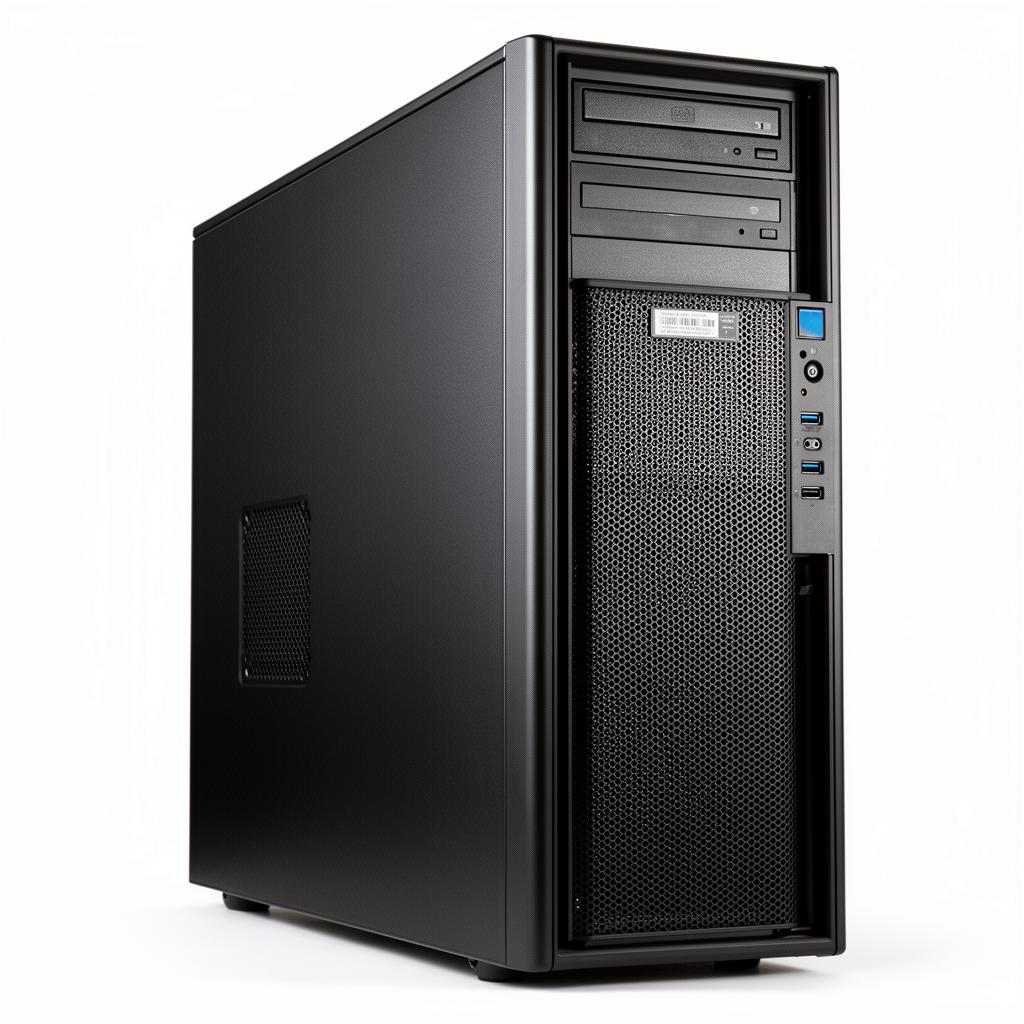
An EPYC processor can give a tower workstation far more memory bandwidth and PCIe I/O than a mainstream desktop platform. That does not make every server-derived tower pleasant to live with. Fan behaviour, idle power, display support, operating-system qualification and the placement of several GPUs decide whether the machine works beside a user or belongs in a rack room.
This is a platform guide, not a review of one currently configurable model. It explains the buying questions that remain valid across EPYC tower designs and points readers towards live GPUMachines product categories for the final specification.
Executive Summary
The EPYC Tower GPU Workstation is best suited to AI developers, rendering users, engineering teams, and researchers that need local GPU capability without moving straight to a rack server.
The headline platform is 1X CPU 7X GPU EPYC Tower GPU Workstation AMD EPYC powered tower workstation with up to 7x PCIe 5, supported by AMD EPYC powered tower workstation with up to 7x PCIe 5, 8x DDR5 RDIMM/RDIMM 3DS Up to 7x PCIe 5, and Configuration-dependent power and cooling. The exact configuration should be checked in the configurator because GPU, RAM, storage, networking, and power choices are configuration-dependent.
It is overkill when the workload only needs a small hosted GPU instance, a lighter workstation, or a proof-of-concept environment with no defined deployment plan.
Browse current GPUMachines tower GPU workstations after deciding how much server-class I/O the workload actually needs.
Key Specifications
| Area | Specification | | --- | --- | | Form factor | Tower workstation | | CPU platform | AMD EPYC powered tower workstation with up to 7x PCIe 5 | | CPU sockets | Configuration-dependent | | GPU support | 1X CPU 7X GPU EPYC Tower GPU Workstation AMD EPYC powered tower workstation with up to 7x PCIe 5 | | Memory | 8x DDR5 RDIMM/RDIMM 3DS Up to 7x PCIe 5 | | Storage | Configuration-dependent local NVMe or drive layout | | PCIe expansion | Configuration-dependent PCIe expansion and riser layout | | Networking | Configuration-dependent Ethernet, management, or high-speed fabric options | | Power | Configuration-dependent power and cooling | | Best-fit workloads | local AI model development; GPU rendering and visual effects; engineering simulation and visualisation; data science notebooks |
Platform Highlights
- Workload fit: EPYC Tower GPU Workstation should be considered around the job it needs to run: inference, rendering, workstation use, edge services, simulation, or supporting infrastructure.
- CPU and memory balance: AMD EPYC powered tower workstation with up to 7x PCIe 5 and 8x DDR5 RDIMM/RDIMM 3DS Up to 7x PCIe 5 should be sized around host-side preprocessing, user concurrency, model serving processes, and storage services.
- GPU and PCIe planning: 1X CPU 7X GPU EPYC Tower GPU Workstation AMD EPYC powered tower workstation with up to 7x PCIe 5. Check slot spacing, accelerator power, cable routing, riser layout, and NIC placement before treating the headline GPU count as the final design.
- Storage and data movement: local NVMe, project storage, model cache, checkpointing, and shared-storage access can matter as much as raw accelerator choice.
- Power, cooling, and serviceability: Configuration-dependent power and cooling. Confirm rack airflow, desk-side noise, power feeds, and service access before committing to a configuration.
Our Technical View
In the GPUMachines portfolio, EPYC Tower GPU Workstation is best read as a configuration guide rather than a hands-on benchmark review. The useful question is where this platform class fits: local workstation, edge node, shared rack workstation, or production GPU infrastructure.
The strongest reason to consider it is when its form factor and GPU layout match the deployment environment. The main caveat is that buyers should not select it from the model name alone. The final CPU, RAM, storage, GPU, networking, power, and cooling specification should be reviewed against the workload before purchase.
Best-Fit Workloads
Best-fit workloads include:
- local AI model development
- GPU rendering and visual effects
- engineering simulation and visualisation
- data science notebooks
- robotics and computer vision prototyping
- private workstation use
Who Should Consider It
The EPYC Tower GPU Workstation makes sense for buyers that already know the broad workload shape and want GPUMachines to help turn it into a balanced configuration. That can include on-premise deployment, hosted deployment, leasing, or a staged path where local development later moves into a larger GPU server or cluster.
It is especially relevant when power, cooling, service access, storage behaviour, and network placement matter as much as the headline GPU or CPU platform.
Who Should Not Buy It
It is not the right choice for rack-scale inference hosting, dense multi-user services, or tightly coupled LLM training. A PCIe GPU server, HGX system, or hosted option may be better once the workload moves beyond local development.
Architecture Notes
The architecture decision should start with the workload. Edge systems need density, remote management, and predictable thermals. Workstations need interactive performance, noise awareness, display or remote-user planning, and enough local storage. Rack GPU systems need PCIe layout, airflow, redundant power, and high-speed network placement.
For EPYC Tower GPU Workstation, the safest approach is to define expected users, model size, dataset location, storage pattern, network fabric, and service model before selecting options. That prevents a technically impressive chassis from becoming mismatched to the actual deployment.
Configuration Guidance
Important configuration decisions include:
- CPU selection should match preprocessing, orchestration, rendering, simulation, or inference control-plane needs.
- RAM should be populated for the number of users, model-serving processes, dataset staging tasks, and storage services expected on the system.
- NVMe and bulk storage should be split between boot, project data, model cache, checkpoints, and scratch where appropriate.
- Networking should separate management traffic from storage, user, cluster, or inference traffic when the deployment justifies it.
- Power and cooling should be confirmed against the final GPU and NIC mix, not only the base chassis.
- Hosted, leased, Buy & Host, or on-premise deployment should be decided before finalising rack power and operations assumptions.
Recommended Configuration Paths
- Best for AI development: prioritise GPU memory, RAM, fast local NVMe, and a clean path to shared storage or hosted GPU capacity.
- Best for inference or edge services: focus on reliability, remote management, networking, cooling, and service isolation.
- Best for rendering or visualisation: choose GPUs based on application support, scene size, display or remote-user requirements, and storage throughput.
- Best for cost-controlled deployment: start with the minimum accelerator count that meets the workload, but keep power, cooling, and PCIe headroom realistic.
Alternatives and Related Systems
Compare tower GPU workstations with rack GPU workstations when remote access or rack placement matters. For shared production services, review PCIe GPU servers or hosted GPU options.
Buying Through GPUMachines
GPUMachines can help review compatibility, CPU/RAM/storage/GPU selection, networking design, rack power, cooling, on-premise deployment, hosted deployment, leasing, and Buy & Host options.
Use the EPYC Tower GPU Workstation configurator as the starting point, then ask GPUMachines to review whether the selected build is balanced for the intended workload.
Configuration Notes
EPYC Tower GPU Workstation should be matched to the job it will run most often. The model name and chassis class narrow the choice, but the final configuration still depends on memory footprint, storage path, network design and who will operate it.
The useful starting detail is Configuration-dependent local NVMe or drive layout. Read that alongside the deployment plan. A system for one lab group can be configured very differently from a system that will sit in a hosted environment or serve many internal teams.
Storage planning starts with the published layout: Configuration-dependent local NVMe or drive layout. That needs to be mapped to model staging, scratch space, checkpoint writes, logs and any shared dataset path before the system is ordered.
Networking also deserves early attention. The listed network path is Configuration-dependent Ethernet, management, or high-speed fabric options, but the final choice should separate management, storage and workload traffic where the deployment needs that separation.
Power is not a footnote here: Configuration-dependent power and cooling. Before purchase, check the rack feed, redundancy plan, heat load and service process against the target site. GPUMachines can review the configuration before purchase, including whether a smaller server, hosted GPU capacity or a different platform class would be a cleaner fit.
The last check is ownership. Decide who will administer the system, where logs and backups live, how access is granted, and what counts as a failed deployment. Hardware can be correct on paper and still disappoint if those decisions are left until the week it arrives.
Final Sizing Check
For EPYC Tower GPU Workstation, the storage line starts with Configuration-dependent local NVMe or drive layout. Treat that as a layout to test, not a promise that every dataset or checkpoint pattern will behave well. The network line starts with Configuration-dependent Ethernet, management, or high-speed fabric options, so check how that maps to management access, storage traffic and user workloads. The last useful exercise before purchase is a plain workload walk-through. Pick one normal week: who logs in, what data moves, where models are staged, how failures are noticed and who has permission to change the configuration.
That exercise often changes the build. Sometimes it means more RAM and fewer drives. Sometimes it means a different NIC, a hosted deployment, or a smaller server bought sooner. GPUMachines can help make that trade before the order is placed, which is cheaper than discovering the mismatch after delivery.
Ownership Check
EPYC Tower GPU Workstation also needs an owner before it needs another option ticked. Decide who approves firmware changes, who receives alerts, where configuration notes live, how access is removed when a user leaves, and what evidence counts as a successful handover. Those decisions rarely appear on a product page, but they decide whether a Tower workstation tower GPU workstation becomes reliable infrastructure or another machine that only one person knows how to operate.
For GPUMachines buyers, this is where quote review is useful. A short call can catch missing rails, remote access assumptions, unsupported memory population, weak backup planning or a deployment route that would be easier to host than to run in-house.
That check is small compared with the cost of reworking a system after it has landed in the wrong room.
Workflow Fit Check
Before choosing EPYC Tower GPU Workstation, map the normal working day rather than the best-case demo. For an edge system or workstation, that means checking who sits near it, who needs remote access, where datasets are copied from, how models are updated and how much noise, heat or downtime the site can tolerate. For a rack system, it means checking rails, power, management access, storage paths and the person who gets called when something stops responding.
This is also where a smaller or hosted option can win. If the workload is occasional, GPUMachines can compare the purchase against GPU Cloud or Buy & Host instead of forcing a hardware sale. If the workload is constant, the review should make the operating plan stronger before the quote is final.
That small amount of planning keeps the system from becoming a clever purchase with no clear owner, no rhythm and no fallback.
FAQ
Is EPYC Tower GPU Workstation better for training or inference?
That depends on the final GPU and memory configuration. Use it for training only when the model size, data pipeline, and accelerator layout make sense; otherwise it may be better for inference, development, rendering, or edge services.
How much RAM should I configure?
RAM should be sized around user count, CPU workload, dataset preparation, model serving processes, and whether the system also handles storage or orchestration services.
Does it need InfiniBand or high-speed Ethernet?
Single-node systems may only need Ethernet, while shared storage, multi-node training, hosted GPU environments, or heavy inference traffic can justify 100GbE, 200GbE, 400GbE, InfiniBand, or separate management networks.
Is this overkill for small workloads?
It can be. A smaller workstation, hosted GPU instance, or lower-density server may be more practical for experiments, small inference endpoints, or occasional development.
Can GPUMachines host this system?
GPUMachines can discuss hosted deployment, leasing, and Buy & Host options where suitable, especially when rack power, cooling, remote access, or operations support are concerns.
Verdict
An EPYC tower is a sound choice for users who need server memory, broad PCIe connectivity and local access to several technical workloads. It is less convincing when one GPU and ordinary desktop memory would do the job.
Noise and power should be checked before the CPU model. A technically compatible server platform can still be a poor desk-side workstation.
Compare the current tower GPU workstation range on GPUMachines.