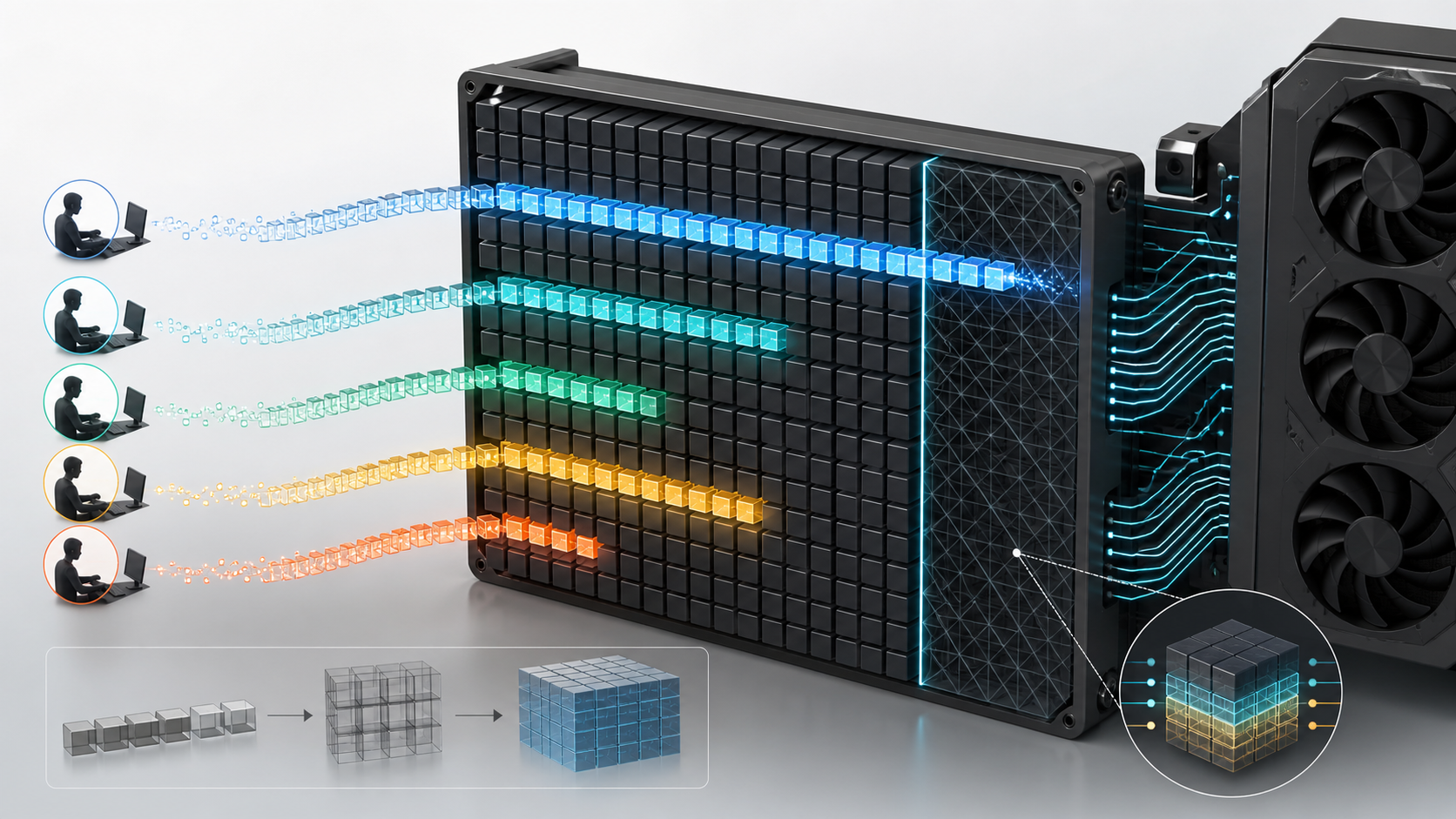
A model can load successfully, answer a short prompt and then run out of memory when someone pastes a long document. Nothing about the weights changed. The growing conversation filled the KV cache, or several requests competed for the same memory.
This is why “the model fits” is only half a local-AI test. Context length and concurrency turn a static checkpoint into a live service.
What a token is
Language models do not read text one character or one word at a time. A tokenizer breaks text into units called tokens. A token may be a whole short word, part of a longer word, punctuation or a short byte sequence.
The ratio between words and tokens changes with language, formatting, code and the model’s tokenizer. Do not convert a context window into an exact page count using one universal formula. Count tokens with the model’s own tokenizer when the limit matters.
What a context window is
The context window is the maximum token span the model can consider for one sequence. It includes the prompt and normally the generated response. In a chat application, system instructions, earlier messages, retrieved documents and tool results can all consume that window.
A 128K context does not mean the application should send 128,000 tokens on every request. It means the model and runtime can accept up to that limit under supported conditions. Longer prompts take more time to process, consume more cache memory and may still fail to use every detail well.
Google lists 128K context for Gemma 3 models from 4B to 27B. Qwen lists 128K for several Qwen3 models. OpenAI lists 128K for gpt-oss. Meta advertises a much larger supported window for Llama 4 Scout. These are model capabilities, not memory-free allowances.
What the KV cache does
During generation, the model predicts one token, appends it to the sequence and predicts the next. Recalculating all earlier attention states on every step would waste work.
The KV cache stores key and value tensors for tokens already processed. Hugging Face describes separate cache tensors for each attention layer, with dimensions that include batch size, heads, sequence length and head dimension.
The cache makes generation practical, but its memory grows with sequence length. More live sequences add more cached state.
In plain terms:
- a longer prompt costs more cache memory;
- a longer answer grows the cache further;
- two live conversations need more state than one;
- ten users do not share one tiny cache merely because they use the same weights.
Maximum context and useful context are different
The published maximum is an engineering boundary. The useful window is the length at which the model, runtime, latency and answer quality still meet the application’s needs.
Sending an entire document library with every question is usually a poor design. It increases prompt-processing time, uses memory and can make relevant evidence harder for the model to find. Retrieval systems exist to select a smaller set of useful passages.
A sensible local assistant might support a 32K or 128K-capable model while normally sending far less. The extra allowance then covers unusual documents, longer code files or multi-step tool results without making the maximum the default.
Concurrency is not the same as user count
One hundred registered users do not necessarily mean one hundred simultaneous sequences. Conversely, ten users can create more than ten active sequences if an agent runs several model calls in parallel.
Measure:
- requests arriving per minute;
- peak sequences executing at once;
- average and high-percentile input length;
- average and high-percentile output length;
- time spent waiting in a queue;
- whether the application branches into parallel agent tasks;
- whether several model replicas share one GPU.
That workload trace gives the serving engine something real to size.
Why batching helps and hurts
An inference engine can batch work from several requests so the GPU processes them together. This often improves throughput because the accelerator does more useful work per scheduling step.
Larger batches also consume memory and can increase the time an individual request waits before generation begins. Continuous batching, paged attention and cache management can improve utilisation, but they do not make memory infinite.
The service must choose which result matters most:
- lowest time to first token for an interactive assistant;
- highest completed tokens per second for an offline job;
- predictable latency for a business API;
- fair sharing between teams;
- the maximum number of long-context sessions.
One batch setting will not optimise every target.
A simple failure example
Imagine a 70B model in a four-bit format occupying roughly 35–45 GB once the checkpoint’s real format is counted. A 48 GB GPU may load it and answer a short question.
Now add a large context, compute buffers and a second user. The remaining few gigabytes may be exhausted. Reducing context, using a cache-efficient architecture, moving to a lower-memory quantisation, enabling supported cache offload or choosing a larger-memory GPU may all solve the capacity issue. Each choice has a quality or speed cost to test.
The H100 versus RTX PRO 6000 Blackwell inference guide examines this as a deployment decision. A 96 GB card may provide useful single-GPU headroom, while H100, H200 or HGX systems can be a stronger fit for sustained shared services and multi-GPU placement.
How to set an application context limit
Start from the task rather than the model’s maximum.
For a coding assistant, collect representative files and measure the token count of the code, instructions and expected answer. For document question answering, test the retrieval passages that are actually needed. For chat, decide how much history must remain verbatim and what can be summarised or dropped.
Then define:
1. Maximum user input. 2. Maximum retrieved content. 3. Space reserved for system instructions and tools. 4. Maximum generated output. 5. A policy for truncation, summarisation or refusal. 6. A separate administrative ceiling for unusual approved tasks.
Do not silently cut the end of a safety instruction or the beginning of a legal document to make a request fit. The application should know which content can be reduced and tell the user when it cannot complete the task safely.
Cache controls and their trade-offs
Modern runtimes offer several ways to manage cache memory. Availability depends on the model, runtime and hardware.
Quantised KV cache stores cache values at lower precision. It can reduce capacity use, but may add conversion cost and needs a quality check.
Offloaded cache moves selected state to CPU memory. This frees accelerator memory but can increase latency through data movement.
Sliding-window attention retains only a recent token window in supported model layers. It reduces memory growth but changes how older context is available.
Paged cache management allocates cache in blocks and reduces waste from variable-length sequences. It helps utilisation; it does not remove the underlying cost of live tokens.
Prefix caching can reuse the state for a common prompt prefix, such as a long shared system instruction. It helps when requests really share that prefix and the serving engine supports the feature.
Use these as measured engineering options. A setting that raises maximum concurrency can also change latency, output quality or failure behaviour.
Workstation, server or cluster?
A small-form-factor local LLM system is well suited to one developer or a small group testing models with controlled context. A tower GPU workstation can provide more discrete-GPU memory and local storage while keeping the system close to the user.
When several people rely on one endpoint, a PCIe GPU server gives more room for replicas, high-capacity cards, redundant power and remote operation. An HGX server becomes relevant when one model spans tightly connected GPUs or the service needs a large shared accelerator-memory pool.
If the expected traffic is uncertain, a hosted pilot can capture real request lengths and concurrency before the organisation fixes a large on-premise purchase. Buy & Host is also an option when dedicated ownership is wanted without running the rack locally.
A test that catches the common failures
Run four cases before calling the deployment ready:
1. Normal request: typical prompt and answer with one user. 2. Long request: the highest approved context with the maximum output allowance. 3. Concurrent request: the expected peak number of simultaneous sequences with realistic length variation. 4. Recovery case: fill the queue, cancel requests, restart a worker and confirm memory is released and traffic recovers.
For each case, record peak GPU memory, host RAM, time to first token, prompt-processing rate, generation rate, queue time and errors. Repeat after any change to the model, quantisation, runtime, driver or cache setting.
Questions beginners ask
Is 128K context better than 32K?
It is a larger supported limit, not proof of better answers. If the task needs only 8K, the larger maximum may bring no benefit. Test the lengths your application will send.
Does the context window reset after each answer?
It depends on the application. A stateless request starts a new sequence. A chat interface usually resends or retains conversation history until it is truncated, summarised or cleared.
Why does a longer prompt feel slow before the first word appears?
The model must process the input tokens before it can generate the first output token. More input means more prompt-processing work and more cache state.
Can two users share the same KV cache?
Their independent conversations need independent state. Some common prefixes can be cached and reused by supported serving engines, but private conversation content must remain correctly separated.
Will a bigger GPU fix every context problem?
It adds capacity, but an application can still send irrelevant text, exceed the model limit or provide more context than the model uses reliably. Retrieval and context policy remain necessary.
Sources and Further Reading
- Hugging Face Transformers: Caching
- Hugging Face Transformers: KV cache strategies
- Google: Gemma 3 model card
- OpenAI: Introducing gpt-oss
- Qwen Team: Qwen3
- Meta: Llama 4
The practical answer
Buy memory for the service, not only the checkpoint. Define the normal and maximum context, output allowance and simultaneous sequences, then test them together.
GPUMachines can use those results to decide whether the right next step is a compact local system, a larger workstation, a shared PCIe server, an HGX platform or dedicated hosted capacity.