Stable Diffusion XL does not need an HGX cluster simply because it is an AI model. A single modern GPU can run the SDXL 1.0 base pipeline. The real hardware requirement depends on what happens around that base model: image resolution, images per prompt, concurrent jobs, a separately loaded refiner, ControlNet or IP-Adapter models, upscaling, LoRA training and the time users will accept in a queue.
For one creator or developer, a 24 to 32 GB workstation GPU is a practical target with room for a normal 1024 x 1024 workflow. A 48 GB professional GPU suits heavier pipelines, larger batches and shared services. A 96 GB GPU is useful when several components must remain resident or when fine-tuning and other AI work share the same machine, but it is not an SDXL minimum.
Those are planning ranges, not vendor guarantees. Record peak allocated memory and image latency with the exact checkpoint, scheduler, precision, extensions and output size before ordering a fleet.
What the official SDXL release contains
Stability AI describes SDXL 1.0 as a latent diffusion text-to-image model with two fixed text encoders. Its model card reports a 3-billion-parameter base model and provides 1024 x 1024 examples. The base pipeline can run by itself. An optional refiner performs the final denoising stage, commonly splitting a 40-step generation into base and refiner portions.
This architecture matters for sizing. Loading only the base model is not the same test as keeping the base, refiner, one or more ControlNets, an upscaler and several LoRAs available to a production worker. The official Diffusers example also uses FP16 or BF16 on CUDA. Changing precision, attention implementation or offload policy changes memory use and speed.
SDXL is an image model, so LLM concepts such as context length and KV cache are not the sizing variables. Prompt length has some effect through the text encoders, but resolution, batch, pipeline components and denoising steps dominate the practical hardware discussion.
GPU memory planning table
| GPU memory class | Sensible SDXL role | Main constraint to test | | --- | --- | --- | | 12 to 16 GB | Development, one base-model image at a time, memory-optimised workflows | CPU offload, extension compatibility and latency | | 24 to 32 GB | Creator workstation, 1024 x 1024 inference, common adapters and modest batches | Peak memory with the complete graph and intended output size | | 48 GB | Shared inference worker, several resident components, larger batches or heavier image workflows | Queue latency, thermal stability and application certification | | 96 GB | Multi-pipeline service, generous fine-tuning workspace or a mixed AI workstation | Whether utilisation justifies the acquisition and power envelope |
A 16 GB card may run a carefully optimised base pipeline, but that does not make 16 GB a safe specification for every SDXL application. A node that must accept arbitrary extensions or serve several users needs margin. Conversely, buying 96 GB for one base-model image at a time wastes money unless the machine has another workload.
NVIDIA lists 32 GB of GDDR7 for the GeForce RTX 5090 and 96 GB of ECC GDDR7 for RTX PRO 6000 Blackwell. RTX 6000 Ada sits between them with 48 GB of ECC GDDR6. Memory is only one distinction: professional GPUs also offer a different driver, support and fleet-management proposition.
Why resolution and batch size matter
Diffusion pipelines hold intermediate activations whose size grows with the spatial dimensions being processed. Moving from 1024 x 1024 to a larger canvas is not a small cosmetic change. It increases memory pressure and generation time, especially when several images are produced in one batch.
Test these variables separately:
- native width and height;
- number of images per prompt;
- simultaneous worker processes;
- denoising step count and scheduler;
- base-only versus base-plus-refiner;
- ControlNet, IP-Adapter, inpainting and upscaler stages;
- VAE decode settings and output format.
Do not infer production capacity from one successful image. A memory spike may appear only during VAE decode or when an adapter joins the graph. A shared service can also run out of memory because several workers reserve the same GPU independently.
Hugging Face documents VAE slicing for multi-image batches and VAE tiling for larger images. Tiling reduces peak memory by decoding overlapping image tiles, but it can introduce tonal variation and adds another setting to validate. CPU offload also lowers GPU memory use, although moving model components across PCIe trades capacity for latency.
Three useful deployment profiles
Creator and developer workstation
Use one 24 to 32 GB GPU, 64 to 128 GB of system RAM and at least 2 TB of fast NVMe. This profile suits prompt development, image-to-image work, inpainting, LoRA use and small automation queues. A high-clock CPU is usually more useful than a very large core count because the GPU performs the denoising work while the host handles loading, preprocessing and the user interface.
Check noise, room heat and sustained power before treating a desktop card as an all-day renderer. NVIDIA rates the RTX 5090 Founders Edition at 575 W, so the complete workstation needs a suitable PSU, connector path and chassis airflow. Partner cards can differ in size and cooler design.
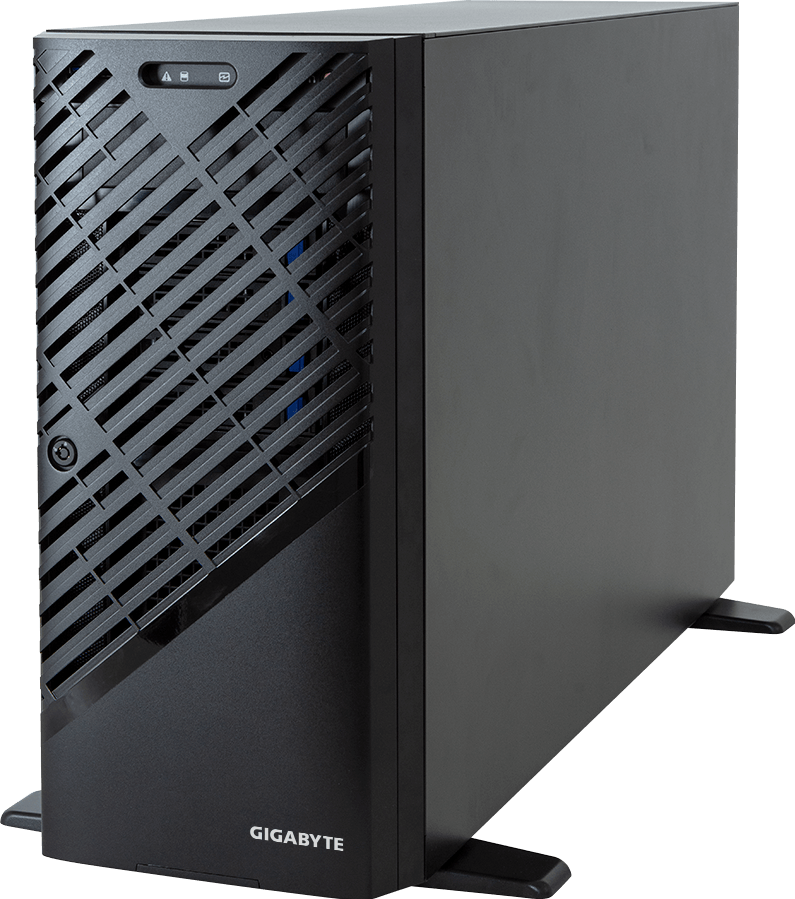
See current tower GPU workstation options when the system will remain beside its user.
Shared production inference server
Use one or more 32 to 48 GB GPUs when the workload is a queue of independent image jobs. In many services, several single-GPU workers are easier to scale than one pipeline split across several GPUs. Each worker can keep an approved checkpoint warm, and the scheduler can route jobs by workflow or memory requirement.
Start with 128 to 256 GB of host RAM and separate enterprise NVMe space for model files, temporary outputs and logs. These figures are operational starting points rather than SDXL requirements. The correct capacity depends on how many model variants are kept locally, whether outputs are retained and how quickly a failed worker must reload.
A PCIe GPU server provides remote management, sustained airflow and more predictable multi-GPU packaging than a tower. Assign one worker per GPU first. Add cross-GPU complexity only if the measured pipeline requires it.
Fine-tuning and model-development node
LoRA and DreamBooth-style work can be much lighter than full-model training, but dataset size, optimiser, resolution, batch and whether the text encoders are trained all change the memory requirement. Hugging Face's SDXL training guide warns that the larger UNet and second text encoder are computationally intensive. It recommends tools such as mixed precision, gradient checkpointing, gradient accumulation, memory-efficient attention and an 8-bit optimiser when required.
A 48 or 96 GB GPU gives useful experimentation room, but no memory figure guarantees a training recipe. Capture the exact script revision and launch arguments, then run a representative epoch before purchasing more nodes. Multi-GPU training also needs a tested distributed configuration and data path; merely installing more cards does not ensure useful scaling.
CPU, RAM and PCIe requirements
SDXL inference rarely needs the highest available server CPU. It needs a balanced host that can feed the selected GPU count, decode inputs, run safety or metadata services and move files without stealing PCIe bandwidth from the accelerators.
For a single-GPU workstation, a current 12 to 24 core CPU is generally ample unless the same machine performs heavy video, compositing or data preparation. A multi-GPU server should be chosen from its PCIe lane map. Confirm electrical link width for every GPU and NIC, NUMA placement, and whether local NVMe shares a congested root complex.
System RAM should cover the operating system, pipeline components, CPU offload, model conversion and queued assets without paging. CPU offload can make a low-VRAM test possible, but it also makes host RAM and PCIe traffic part of every generation. Treat it as a measured design choice, not free memory.
Populate memory channels evenly. Large capacity on one or two DIMMs can leave a server with poor host bandwidth even though Task Manager reports enough gigabytes.
NVMe and shared storage
An SDXL service usually owns more than one checkpoint. It may retain the base and refiner, fine-tuned variants, VAEs, ControlNets, LoRAs, upscalers, container images and rollback versions. Generated images and audit metadata can grow faster than the model repository.
Keep active models on local enterprise NVMe so workers restart predictably. Use shared storage or object storage for approved source artefacts, team assets and retained outputs. Define lifecycle rules before a creative service generates millions of files.
Measure cold-start time as part of acceptance testing. A GPU is unavailable while a worker downloads and loads its models. If ten workers restart together after maintenance, the shared storage path must handle that burst.
For small teams, 2 TB local NVMe is a practical floor. Shared services often need 4 TB or more per node, but retention policy decides the real number. Separate active model cache from temporary image data when their endurance and backup needs differ.
Networking requirements
One SDXL workstation does not need InfiniBand. Even a rack of independent inference workers can operate well on ordinary Ethernet if images and models move through a sensible storage design.
Use 10 or 25 GbE when teams regularly move large checkpoints or batches of source and output images. Faster links become useful when many workers reload from shared storage at once. Reserve 100 GbE and AI fabrics for measured aggregate demand or distributed training, not because the servers contain GPUs.
Separate client/API traffic, storage traffic and out-of-band management where scale or security justifies it. A public image-generation endpoint also needs rate limits, authentication, queue controls and output retention rules. Network speed does not solve an unbounded queue.
Power and cooling
Size the electrical system from the complete node, not the GPU label. The CPU, DIMMs, drives, NICs, fans and PSU losses all contribute. Run a sustained generation queue and read power at the PDU or wall meter; short prompts may not reveal the temperature reached after several hours.
A 32 GB RTX 5090 is attractive for owner-operated performance, but its 575 W board limit changes the chassis. RTX 6000 Ada provides 48 GB at a 300 W board limit, which can be easier to cool in dense workstations. RTX PRO 6000 Blackwell Workstation Edition provides 96 GB and is rated up to 600 W. The right choice is the one whose memory, support and thermal envelope match the system.
Professional server cards and supported rack chassis are the better route for continuous shared workloads. Do not install an open-air desktop cooler in a server simply because the PCIe connector fits.
How to benchmark an SDXL configuration
Build a replay set containing the workflows users will actually submit. Include base-only text-to-image, the refiner if used, the most expensive adapter chain, inpainting, the largest accepted resolution and the expected batch size.
Record:
1. exact checkpoint hashes, VAE, adapters and LoRAs; 2. framework, PyTorch, CUDA and driver versions; 3. warm and cold start time; 4. peak allocated and reserved GPU memory; 5. image latency at P50 and P95; 6. accepted images per minute at the target queue depth; 7. failed jobs, out-of-memory events and retries; 8. complete-system power and GPU temperature during a sustained run.
Only count images that complete inside the service objective. Raising batch size may improve aggregate throughput while making an interactive user wait too long. Quote both throughput and latency.
Common sizing mistakes
- Testing the base model, then deploying the base, refiner and several adapters without repeating the memory test.
- Quoting a universal VRAM minimum without naming resolution, precision and software versions.
- Running several web workers that each load a separate copy of the pipeline onto one GPU.
- Buying an HGX system for independent image requests that would scale cleanly across PCIe GPUs.
- Using CPU offload to pass a demo, then ignoring its production latency.
- Keeping generated images forever without a retention and backup policy.
- Comparing GPUs from one-image benchmarks instead of a sustained queue.
FAQ
How much VRAM does Stable Diffusion XL need?
There is no single safe number. A memory-optimised base pipeline can run in a 12 to 16 GB class, while a 24 to 32 GB GPU is a more practical workstation target. Refiner stages, adapters, high resolution, batches and concurrency add memory pressure.
Is 32 GB enough for SDXL?
It is a strong starting point for one creator or a single inference worker. Validate the largest accepted resolution and complete adapter chain. Several concurrent worker processes can still exhaust 32 GB.
Does SDXL need multiple GPUs?
Not for ordinary inference. For a shared service, one independent worker per GPU is often simpler than splitting an image pipeline across cards. Multiple GPUs become relevant for throughput, several resident services or distributed training.
Should the base and refiner stay loaded together?
Only if the quality and latency benefit justifies the extra memory. Stability AI states that the base model can run alone. Test base-only output against the two-stage pipeline on the organisation's own prompts.
How much RAM and NVMe should a workstation have?
For a serious creator workstation, 64 to 128 GB of RAM and 2 TB of fast NVMe is a practical starting point. Model development, CPU offload and large asset libraries can justify more. These are platform planning figures, not model minimums.
Does SDXL need an HGX server?
Usually not. HGX fits tightly coupled training and larger mixed-model estates. SDXL inference normally scales well through independent PCIe GPU workers or workstations.
Recommendation
Begin with the complete workflow, not a GPU name. A 24 to 32 GB workstation is a sensible SDXL development platform. Move to 48 GB professional GPUs and a rack server when shared queues, resident adapters, support requirements or sustained duty justify it. Choose 96 GB for measured memory pressure or broader model-development work, not as a default SDXL tax.
GPUMachines can validate a GPU workstation, a shared PCIe inference server, or a hosted system through Buy & Host using the actual workflow and queue target.