Building an AI cluster starts with the work it must finish, not the number of GPUs in a budget. A training run, a shared research service and a production inference estate can use the same accelerators while placing very different demands on the interconnect, storage, scheduler and facility.
This guide covers the practical design sequence for private clusters from a few nodes to a few dozen. It focuses on the decisions that affect the bill of materials: GPU topology, east-west bandwidth, data movement, rack power, cooling, control-plane capacity and acceptance testing.
For much larger estates, use a validated reference architecture as the starting point. NVIDIA's current HGX H100, H200 and B200 Ethernet design uses four-node scalable units and documents a path to 128 eight-GPU systems. That is a useful engineering reference, but it is not a reason to copy every component into a smaller cluster.
Start with a one-page workload envelope
Write down the following before choosing a server:
| Input | What to record | What it changes | | --- | --- | --- | | Job type | pre-training, fine-tuning, inference, simulation or mixed use | GPU topology and scheduler policy | | Model footprint | weights, precision, activations, optimiser state and KV cache | GPU memory and parallelism | | Job size | GPUs per job and nodes per job | NVLink domain and scale-out fabric | | Data path | dataset source, cache, checkpoint target and retention | storage tier and network layout | | Service target | throughput, latency, training time or queue time | node count and oversubscription | | Users | teams, tenants, projects and access method | isolation and control plane | | Site | rack power, cooling, floor loading and fibre routes | rack density and deployment location | | Growth | expected second phase and time horizon | spare ports, rack space and power reserve |
Averages are not enough. Capture the largest credible job, the busiest shared period and the recovery target after a node or switch failure. These cases expose constraints that a simple GPU count hides.
Step 1: Choose the GPU node around the job
HGX for one tightly coupled GPU domain
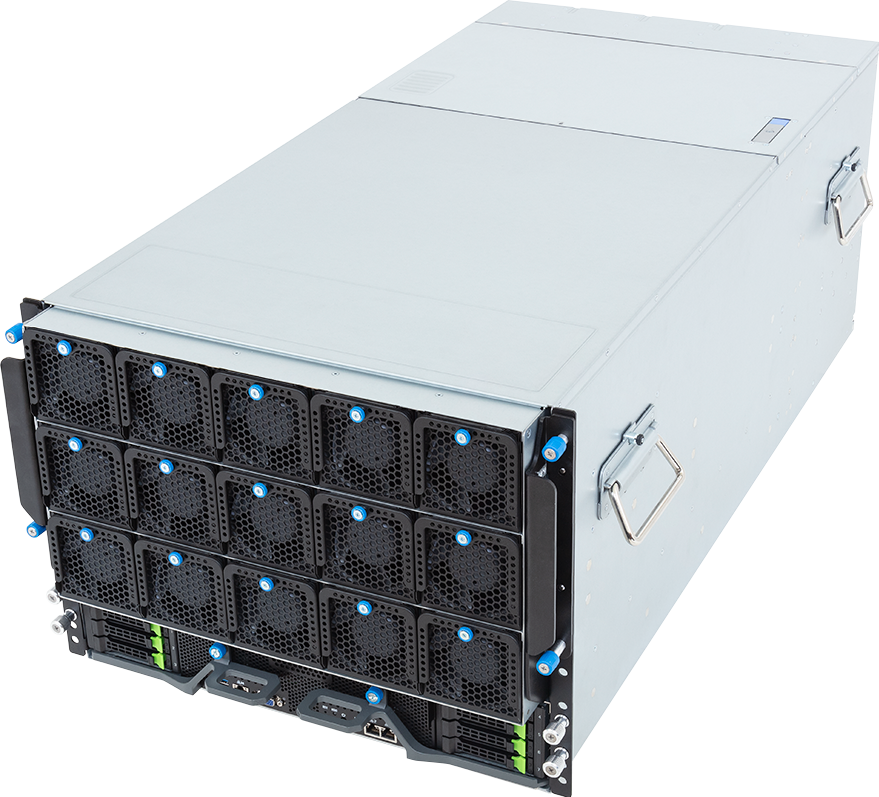
Eight-GPU HGX systems connect the GPUs through NVLink and NVSwitch. They suit jobs that exchange tensors across the whole node, including large-model training, tensor-parallel inference and some scientific workloads.
NVIDIA's enterprise HGX reference specifies eight H100, H200 or B200 SXM GPUs, at least two CPU sockets, a minimum of 48 physical cores per socket and at least 1.5 TB of host memory for the documented eight-GPU design. Those figures are a reference baseline, not permission to expose every socket-compatible CPU in an OEM configurator. The exact server qualification list, CPU thermal limit and DIMM population rules still apply.
Browse the HGX server range when one job needs a strong eight-GPU scale-up domain.
PCIe servers for independent or smaller GPU groups
PCIe GPU servers can be a better fit for inference replicas, rendering, virtual workstations, simulation and research jobs that use one, two or four GPUs at a time. They can also offer more card choice and simpler field replacement.
Do not infer compatibility from the number of double-width slots. Confirm the manufacturer's GPU qualification list, riser topology, auxiliary power, airflow and the CPU-root path for every intended card count. H200 NVL bridge groups, for example, do not turn an eight-slot PCIe chassis into the same all-GPU domain as HGX.
Browse PCIe GPU servers when independent jobs and configuration flexibility matter more than an eight-GPU NVSwitch fabric.
Mixed clusters need explicit queues
A mixed estate can be useful: HGX nodes for tightly coupled jobs and PCIe nodes for inference or development. It only works cleanly when the scheduler exposes the difference. Define partitions, node features, GPU types, time limits and placement rules so a small job does not occupy a scarce HGX node by accident.
Step 2: Pick a repeatable building block
Do not design 24 nodes as 24 exceptions. Choose a repeatable unit with known compute, network, storage and rack requirements.
NVIDIA's current Spectrum-X enterprise reference uses a four-node scalable unit for eight-GPU HGX servers. DGX BasePOD, meanwhile, covers designs from two nodes to dozens. These references support a sensible deployment pattern:
- Two to four nodes: validate the workload, storage path, scheduler and operational model.
- Four to eight nodes: standardise cabling, images, monitoring, spares and acceptance tests.
- Eight to 32 nodes: scale with a repeatable rack and fabric unit rather than adding ports ad hoc.
- Beyond that range: use a vendor reference architecture and model cable length, failure domains and management capacity as first-class constraints.
The first phase should be large enough to expose multi-node behaviour. It should not be so large that the team discovers basic software, storage or facility problems after every rack has arrived.
Step 3: Design four traffic planes
An AI cluster normally carries at least four kinds of traffic:
1. East-west compute traffic for collectives, distributed training and multi-node inference. 2. Storage traffic for datasets, checkpoints, model repositories and shared scratch. 3. In-band management and user traffic for provisioning, containers, telemetry and access. 4. Out-of-band management for BMC access and recovery when the host network is unavailable.
They do not always need four physically isolated fabrics, but they do need explicit bandwidth, congestion and failure assumptions. A management path that shares every dependency with the workload fabric may disappear at the moment operators need it.
For NVIDIA's eight-GPU HGX Ethernet reference, the documented minimum east-west capacity is greater than 200 GB/s per node, represented by eight 200 Gb/s or four 400 Gb/s adapters. The recommended design reaches 400 GB/s using eight 400 Gb/s adapters. This is a reference for multi-node HGX workloads, not a universal minimum for every inference cluster.
Use a workload model to set the actual requirement, then check leaf and spine arithmetic. The non-blocking GPU network guide explains the calculations, while the 1,000-GPU fabric guide covers rail-optimised designs at a larger scale.
Choose InfiniBand or Spectrum-X Ethernet from workload, operational and support requirements. Protocol preference alone is not a design.
Step 4: Size storage from the data path
Split storage into roles before discussing capacity:
- local boot and container storage;
- local NVMe scratch or dataset cache;
- shared high-throughput training storage;
- checkpoint and model repository storage;
- user homes, logs and general project data;
- backup or archive capacity.
Then calculate the busiest path. If a job writes a 4 TB checkpoint in a target window of two minutes, the application-level average is:
4,000 GB / 120 seconds = 33.3 GB/s
That figure is before filesystem, protocol, protection and contention overhead. If several jobs checkpoint together, their demand overlaps. A storage array with an impressive sequential benchmark can still miss this target when metadata operations, small-file access and concurrent reads are added.
The AI data-pipeline guide shows how ingestion, preprocessing, caching and checkpointing interact. For shared capacity, review scale-out storage alongside the GPU and network design, not after it.
Step 5: Calculate power and cooling before rack count
Build the facility worksheet from complete server power, not GPU TDP alone:
IT load = compute nodes + switches + storage + control plane + management
Then apply the site's redundancy, breaker, PDU and growth rules. A rack that fits physically may not fit electrically or thermally.
NVIDIA's DGX H100 data-centre guide is a useful example of the scale involved. It lists 10.2 kW maximum system power for one DGX H100 and shows four systems per rack as a 40.8 kW compute load. It also notes that management and storage racks sit outside that compute total. Those numbers are specific to the referenced DGX H100 design; use the selected OEM system's documented or measured values for a real project.
Check all of the following:
- usable rack units after switches, PDUs and cable managers;
- A/B feed capacity and PSU redundancy mode;
- steady and peak server draw;
- supply temperature, airflow direction and fan-failure behaviour;
- air, rear-door heat exchanger or direct-liquid-cooling requirements;
- rack weight, floor loading, lift access and service clearance;
- fibre and copper path length between racks;
- how a lower rack density changes cable length and floor-space demand.
Use the rack planner to model complete systems, then have the facility team sign off the electrical and thermal assumptions.
Step 6: Account for the control plane
GPU nodes are not the whole cluster. Provisioning, DNS, identity, container registries, scheduling, monitoring, secrets and software repositories need somewhere to run.
NVIDIA's four-node DGX BasePOD deployment example includes two cluster-management servers and three Kubernetes control-plane servers in addition to the GPU nodes. That is an example architecture rather than a fixed rule, but it makes the hidden infrastructure visible.
Decide early whether the environment will use Slurm, Kubernetes or both. NVIDIA BasePOD supports both scheduling approaches. The choice affects user access, image handling, quotas, observability and the skills the operations team needs.
Document:
- identity source and project ownership;
- queue or namespace policy;
- approved images and driver lifecycle;
- secrets and network policy;
- monitoring, alerting and log retention;
- firmware and maintenance windows;
- backup and recovery for control-plane state;
- spare-part and failed-node procedures.
If nobody owns these tasks, the hardware has not yet become a service.
Step 7: Define acceptance before ordering
Acceptance testing should prove the design, not merely show that every server powers on.
Hardware and topology
- Record serials, firmware, PCIe topology, GPU-to-NIC locality and cable labels.
- Confirm every GPU, NIC, drive, PSU and sensor is visible and healthy.
- Burn in each node at its intended power and cooling condition.
Compute and fabric
- Run single-node GPU and memory tests.
- Measure collective performance within one node and across the planned multi-node job size.
- Compare each rail, link and switch path for outliers.
- Test the effect of a failed link or unavailable node.
Storage
- Test dataset reads and checkpoint writes at the same time.
- Use the intended client count, file sizes and protection policy.
- Fill local scratch far enough to verify monitoring and cleanup behaviour.
Operations
- Provision a node from the approved image.
- Submit jobs through the production scheduler.
- Verify quotas, isolation, monitoring and alert delivery.
- Drain, repair and return a node to service.
- Restore the control plane or scheduler state from backup.
Store the results as the cluster baseline. Future firmware, driver, network and storage changes can then be checked against evidence rather than memory.
Three practical deployment profiles
Pilot cluster: two to four nodes
Use this phase to prove model placement, software compatibility, checkpoint behaviour and multi-user operations. Keep enough spare switch ports and rack capacity for the next phase, but do not copy the network of a 1,000-GPU design into a cluster running independent inference replicas.
Production team cluster: four to eight nodes
Standardise the node type, fabric, images and acceptance tests. Add high-availability control-plane services where downtime matters. Model simultaneous jobs and checkpoint contention rather than benchmarking one empty node.
Department or research platform: eight to 32 nodes
Adopt a repeatable scalable unit, explicit rack failure domains and a leaf-spine fabric sized from endpoint demand. Separate management recovery from workload traffic and define how the next unit will be added without recabling the first.
On-premise, hosted or Buy & Host
Keep the ownership question separate from the hardware question.
On-premise deployment can make sense when the organisation has suitable power, cooling, network access and staff. Hosted deployment can remove a facility bottleneck and shorten the path to a production environment. Buy & Host keeps dedicated customer-owned hardware in a facility designed to operate it.
Compare the options using the same workload, security, data-movement, support and growth requirements. A lower hardware quote is not cheaper if the site needs an unplanned electrical or cooling project.
Use the GPU cluster configurator to outline the compute block, then ask GPUMachines to review network, storage, rack power, cooling and deployment as one design.
Frequently asked questions
Does every AI cluster need InfiniBand?
No. InfiniBand is a strong fit for tightly coupled training and HPC, while a correctly designed Spectrum-X Ethernet fabric can support demanding AI workloads. Independent inference jobs may need far less east-west bandwidth. Size the fabric from the job communication pattern.
Should I choose HGX or PCIe GPU nodes?
Choose HGX when one job benefits from a tightly coupled four- or eight-GPU NVSwitch domain. Choose PCIe systems when card flexibility, independent jobs or smaller GPU groups matter more. A mixed estate needs scheduler rules that expose those differences.
How much storage bandwidth does the cluster need?
Calculate dataset-read and checkpoint-write targets for the largest jobs, then model overlapping users and protocol overhead. Capacity in terabytes does not answer a throughput requirement in gigabytes per second.
How much rack power should I reserve?
Add complete server, switch, storage and control-plane power using documented or measured values. Apply the facility's redundancy and growth policy, then check cooling and PDU limits. GPU TDP is not complete-system power.
What should a cluster acceptance test include?
Test hardware health, PCIe and NIC locality, single- and multi-node collectives, concurrent storage traffic, scheduler policy, monitoring, thermal stability and failure recovery. Keep the results as a baseline for future changes.