The best Stable Diffusion GPU is usually the smallest one that keeps the whole workflow in GPU memory with enough headroom for the next step. Raw generation speed matters, but running out of VRAM during a ControlNet pass, a high-resolution upscale or LoRA training wastes more time than a modest difference in images per minute.
For one user learning SDXL, a 16 GB GPU can be a workable entry point. A 24 to 32 GB card is the more comfortable local workstation choice for larger resolutions, several conditioning tools and fewer memory-saving compromises. Move towards 48 GB when advanced pipelines or heavier training regularly cross that range; choose 96 GB professional GPUs for large shared workflows, demanding training, high availability or virtualised users. These are planning bands, not official minimums. Framework, precision, quantisation, attention implementation, batch size and offload policy can move the requirement in either direction.
Do not buy from a generic benchmark table alone. Test the exact checkpoint, VAE, text encoders, extensions, resolution and batch policy that will enter production. Stability AI describes Stable Diffusion 3.5 Large as an 8.1-billion-parameter model, while its model card identifies the MMDiT architecture and three fixed text encoders. SDXL combines a base model with an optional refiner. Their memory behaviour cannot be reduced to one “Stable Diffusion” number.
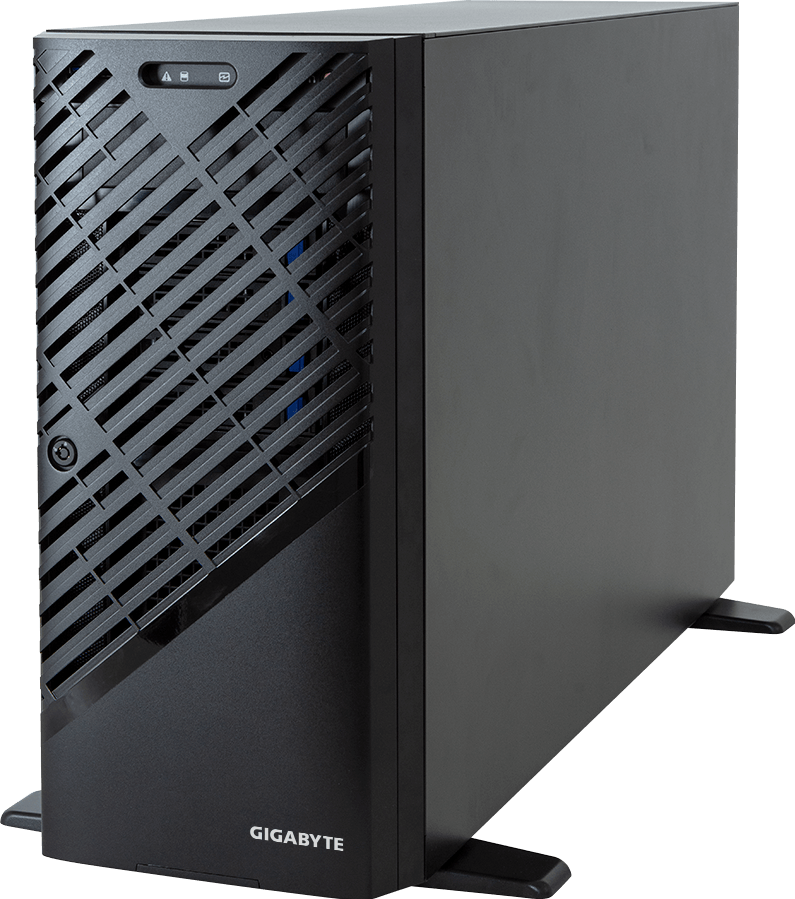
GPUMachines sells workstations, servers and hosted GPU capacity. Use the tower GPU workstation range for individual or studio work, or compare PCIe GPU servers when several users need remote queues and central administration.
Pick the VRAM band before the GPU model
Use this table as a shortlist, then run a representative workflow before purchase:
| GPU memory band | Sensible starting use | Where it becomes uncomfortable | | --- | --- | --- | | 16 GB | Learning, single-user SDXL inference, moderate resolutions and carefully managed extensions | Larger batches, several ControlNet models, high-resolution pipelines and training can force offload or reduced settings | | 24 to 32 GB | Serious local generation, heavier SDXL pipelines, more conditioning tools, modest LoRA work and fewer compromises | Large training jobs, several simultaneous users or complex multi-stage workflows may still exceed one card | | 48 GB | Advanced studio pipelines, larger LoRA jobs, high-resolution work and shared services with controlled concurrency | High user counts, large training states or multiple resident pipelines can push beyond it | | 96 GB | Professional shared systems, demanding training, virtualisation or workflows that need one large memory pool per GPU | Cost, power and platform requirements are unnecessary for many single-user inference jobs |
The table deliberately avoids promising that a model always fits. A pipeline may load the diffusion model, text encoders, VAE, ControlNet, upscaler and intermediate tensors at once. Another tool may move some components into system RAM and run on a smaller card, but latency rises and the result depends on software support.
Why VRAM beats peak compute in the first decision
A GPU can have excellent tensor throughput and still be the wrong purchase if the job spills into host memory. PCIe transfer is far slower than local GPU memory access, and offload adds synchronisation and software complexity. The workflow may run, yet interactive iteration becomes frustrating.
VRAM also affects what can stay resident between jobs. A production service that unloads and reloads models for every request loses time that a benchmark of one warm model will not show. Studios using several checkpoints, LoRAs and ControlNet variants should measure model-switch behaviour as well as image generation.
Leave headroom. Filling a card to the last few hundred megabytes makes the environment sensitive to a larger prompt, another extension or a library update. A practical target is to observe peak allocated and reserved memory across the full workflow, then retain enough margin for variation. The correct percentage depends on the application and service policy; record it rather than applying a universal rule.
SDXL and Stable Diffusion 3.5 are different workloads
The official SDXL model card describes a base model that can run alone or feed an optional refinement model. That creates at least two production patterns: keep both stages available, or load the refiner only when a job requests it. The second saves resident memory at the cost of load time and queue complexity.
Stable Diffusion 3.5 Large's model card identifies an 8B MMDiT model with three fixed text encoders. The text path, diffusion model and chosen implementation all contribute to memory use. Quantised or optimised builds may reduce pressure, but compatibility and output quality must be checked with the actual toolchain.
Model files on disk are not the VRAM requirement. SDXL's base model file is listed at roughly 6.94 GB on its model card, yet inference also needs activations, workspaces, other model components and outputs. Training adds gradients, optimiser states and saved intermediates. Never turn a download size into a GPU sizing rule.
What changes memory use
Resolution is an obvious driver because latent and attention tensors grow with image dimensions. Batch size adds more images in flight. Multiple ControlNet models, IP-Adapter, upscalers and face or detail passes can keep extra weights and tensors resident.
Then there is concurrency. One artist generating one image differs from a web service running several requests on the same GPU. Even when the serving engine batches work efficiently, peak memory follows the queue policy and the set of models held in memory.
Training changes the problem again. LoRA training is lighter than full-model training, but dataset resolution, rank, optimiser, precision, gradient checkpointing and batch settings still matter. Ask for the training command and capture its peak memory on a representative run. “Supports LoRA” is not a capacity result.
16 GB: an entry point, not a universal answer
A current 16 GB GPU can be a good first machine for a developer or creator who mainly runs one model at a time. It keeps the purchase and power requirement lower, while modern software can use attention optimisation and selective offload when a workflow grows.
The compromise appears when experimentation expands. Adding two conditioning models, moving to larger images or training while other desktop applications use GPU memory may force settings down. If the buyer already knows that those tasks form the daily workload, 16 GB is false economy.
Choose this band when budget matters, local inference is the goal and the team accepts occasional memory tuning. Do not choose it for a shared production queue based on a single minimal demo.
24 to 32 GB: the practical workstation range
This is the useful middle for many local Stable Diffusion systems. It gives SDXL workflows room for extensions and higher-resolution passes without jumping immediately to data-centre pricing. It also makes modest LoRA work less constrained.
Consumer-class cards can offer strong performance per pound here, while professional models may add ECC memory, enterprise drivers, longer product lifecycles, remote or virtualisation features and supplier support. The best choice depends on whether the workstation is a personal creative tool or a managed business asset.
Check chassis airflow and power delivery. A fast card that throttles inside a cramped tower does not meet the specification. If the workstation may receive a second GPU later, verify slot spacing, PSU capacity, CPU PCIe lanes and cooling before buying the first card.
48 GB: room for heavier pipelines
Forty-eight gigabytes suits studios and research teams that have measured workloads beyond 24 or 32 GB but do not need a 96 GB device. It can keep larger combinations of models resident, support more ambitious LoRA settings and give a shared service more concurrency headroom.
This is also where platform design starts to matter as much as the card. A shared workstation needs enough host RAM, fast local storage and a CPU that can prepare data without stalling the queue. A rack server may be easier to cool and administer when several GPUs or remote users are involved.
Do not assume two 24 GB GPUs create one transparent 48 GB pool. Most Stable Diffusion pipelines see separate memory on each card. Software can split work or run independent jobs, but that is different from one model accessing a single 48 GB address space.
96 GB: professional capacity with a professional platform
NVIDIA's RTX PRO 6000 Blackwell Workstation Edition datasheet lists 96 GB of ECC GDDR7 memory and a 600 W maximum power figure. The Max-Q Workstation Edition also carries 96 GB and supports MIG partition profiles listed as four 24 GB, two 48 GB or one 96 GB instance in NVIDIA's datasheet.
That capacity can be valuable for demanding training, multiple resident components, large images, virtualised users or a shared service that needs predictable headroom. It also asks more from the workstation or server: cooling, PSU capacity, physical slot layout and support policy must match.
Do not buy 96 GB simply because it is available. A creator whose measured workflow peaks at 18 GB may get a better result from a less expensive 24 or 32 GB GPU and spend the difference on storage, RAM, a colour-accurate display or hosted burst capacity.
One large GPU or several smaller GPUs?
For interactive generation, one GPU with enough memory is simpler. The application sees one device, model placement is straightforward and there is no inter-GPU communication plan to debug.
Several GPUs help when jobs are independent. A studio can assign one queue worker per GPU, allowing different users or models to run at the same time. This scale-out pattern suits PCIe GPU servers because throughput grows without pretending that memory is pooled.
Splitting one training job across GPUs depends on framework support and communication overhead. Stable Diffusion tools vary widely here. Confirm the exact training package, distributed method and checkpoint behaviour before buying a multi-GPU chassis. NVLink or an HGX platform does not automatically make an unsupported application scale.
Consumer, professional or data-centre GPU?
Consumer GPUs make sense for personal workstations, prototypes and price-sensitive studios that can tolerate their support and lifecycle model. They may deliver excellent local generation speed, but the system builder still needs a suitable chassis and power design.
Professional workstation GPUs fit managed desktops and studios that value ECC, certified drivers, larger memory options and business support. NVIDIA's current RTX PRO Blackwell desktop range spans several memory capacities, so select the SKU from measured workload rather than assuming the top card is required.
Data-centre GPUs belong in rack servers where remote management, sustained duty, service procedures, virtualisation or cluster operation justify them. They can be the right answer for a production API, but they are usually excessive for one artist sitting beside a tower.
CPU, RAM and storage still affect the experience
Stable Diffusion is GPU-led, yet the host can make it feel fast or sluggish. CPU threads decode images, prepare data, handle extensions and support the user interface. Training data augmentation can add load. A high-clocked modern CPU with enough cores for the pipeline is usually better than buying the maximum socket count without evidence.
Host RAM should hold the operating system, application, model-management overhead and any components offloaded from the GPU. As a starting principle, avoid a configuration where system RAM is smaller than the active model set plus normal application use. Measure the chosen software; large shared services need much more than a single-user desktop.
Use NVMe storage for checkpoints, model files, caches and active datasets. Capacity disappears quickly when teams keep several model versions and generated outputs. Separate scratch or cache space from protected project storage, and decide what must be backed up. A very fast GPU cannot compensate for a nearly full system drive or a network share that takes minutes to load each checkpoint.
Workstation or shared server?
A tower GPU workstation is the direct choice for one or a few creators who need a responsive desktop and local files. It keeps the workflow close to the user, but noise, heat, physical access and backup ownership remain local problems.
A shared PCIe server makes sense when users need browser or API access, central model storage, job queues, monitoring and controlled permissions. Multiple GPUs can run independent workers. The server should expose real quotas and queue policy; “first person to allocate the GPU wins” is not a production service.
Hosted capacity suits temporary training, demand spikes or teams whose office cannot power and cool the required system. Compare transfer time, data policy and sustained utilisation before deciding. The cheapest hourly GPU can become expensive when large datasets move repeatedly or instances sit idle.
A test that protects the purchase
Build one representative workflow for evaluation. Include the intended model, VAE, text encoders, sampler, resolution, batch, ControlNet or adapters, upscaler and any post-processing. For training, include the actual optimiser, rank, dataset resolution and save interval.
Record:
- peak GPU memory allocated and reserved;
- generation or training time after warm-up;
- model-load and model-switch time;
- host RAM and storage activity;
- power, temperature and throttling;
- behaviour with the intended number of simultaneous users.
Repeat long enough to expose heat and queue effects. Use the result to choose capacity; do not publish it as a universal benchmark without the full method.
Licensing belongs in the deployment review
The Stable Diffusion 3.5 Large model card points to the Stability AI Community License and states that use is free under its terms for organisations with less than US$1 million in annual revenue; larger organisations are directed to contact Stability AI. Licensing can change and different checkpoints or extensions carry different terms.
Check the current licence for every model used commercially, including fine-tunes, LoRAs and bundled components. Hardware ownership does not grant model rights. This article offers infrastructure guidance, not legal advice.
What not to buy
Do not buy an HGX server for a single user's ordinary SDXL inference unless another measured workload justifies it. Do not buy several small GPUs expecting their VRAM to merge automatically. And do not choose the fastest benchmark card if its memory ceiling forces the production pipeline to offload.
A smaller workstation plus occasional GPU Cloud capacity can be the sensible answer for irregular training. For a growing studio, one high-memory professional GPU may be easier to operate than two consumer cards. For many users, move the queue to a server before the shared workstation becomes an unmanaged service.
FAQ
How much VRAM does Stable Diffusion need?
There is no single number. Model, precision, resolution, batch, extensions, training settings and software implementation all change memory use. Treat 16, 24 to 32, 48 and 96 GB as planning bands, then measure the full workflow.
Is 16 GB enough for SDXL?
It can be enough for single-user inference with sensible settings and current optimisations. Heavier ControlNet use, large batches, high-resolution pipelines or training may need more memory or offload.
Is a 24 GB GPU better than a faster 16 GB GPU?
It is often the safer choice when the workflow approaches 16 GB. If both cards fit the job comfortably, generation speed, price, power and software support decide. Run the actual pipeline.
Can two GPUs combine their VRAM?
Not automatically. Applications can place models across devices or run separate workers, but two 24 GB cards do not behave like one transparent 48 GB card.
When should I use a server?
Use a server when several users need central queues, remote access, monitoring, permissions and sustained operation, or when the required GPUs cannot be powered and cooled sensibly in a workstation.
Verdict
Buy Stable Diffusion hardware in this order: fit the full workflow in VRAM, confirm software support, test throughput and concurrency, then check the host platform. For many serious local users, 24 to 32 GB is the useful centre. Choose 48 or 96 GB because measurements justify it, not because a larger number looks safer.
Compare GPU workstations and PCIe GPU servers, then ask GPUMachines to review the exact pipeline before fixing the card and chassis.
Sources
- Stability AI Stable Diffusion 3.5 Large model card
- Stability AI: Introducing Stable Diffusion 3.5
- Stability AI SDXL base 1.0 model card
- SDXL base 1.0 model files
- NVIDIA RTX PRO desktop GPU comparison
- NVIDIA RTX PRO 6000 Blackwell Workstation Edition datasheet
- NVIDIA RTX PRO 6000 Blackwell Max-Q Workstation Edition datasheet